
Home-screen widget
What it is
Section titled “What it is”The home-screen widget is a glanceable panel you place on your phone’s home screen. It shows, for your default syndicate, the things you most often want without opening the app: your next booking, your balance, any credit you hold beside it, any pending usage you have yet to be charged for, and any incoming debit. Each line below the syndicate name is a tap target that opens the matching screen in the app.
The widget is read-only. It mirrors the last data the app synced — it never fetches or changes anything itself — so it stays accurate after the app has run, and refreshes the next time the app syncs.
Who can use it
Section titled “Who can use it”Any signed-in member, on iOS or Android. There is no web widget. The widget follows your default syndicate — not whichever one you happen to have open in the app — isn’t scoped to a role, and shows only your own data. Set your default in the app (see Choose your default syndicate, tab and aircraft).
Where to find it
Section titled “Where to find it”You add it from your phone’s home screen, not from inside the app. See Add the home-screen widget.
- iOS: a medium WidgetKit widget, available on iOS 16 and later.
- Android: a medium widget built with Jetpack Glance.
Fields / options
Section titled “Fields / options”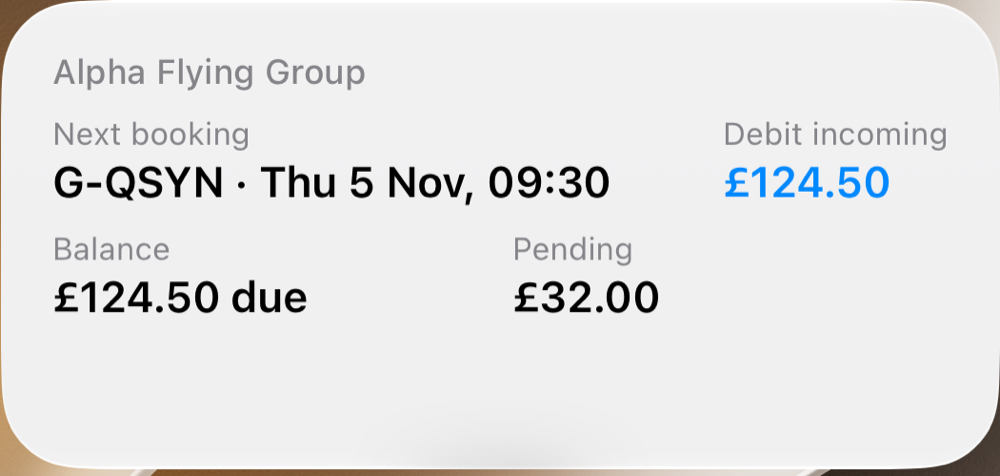
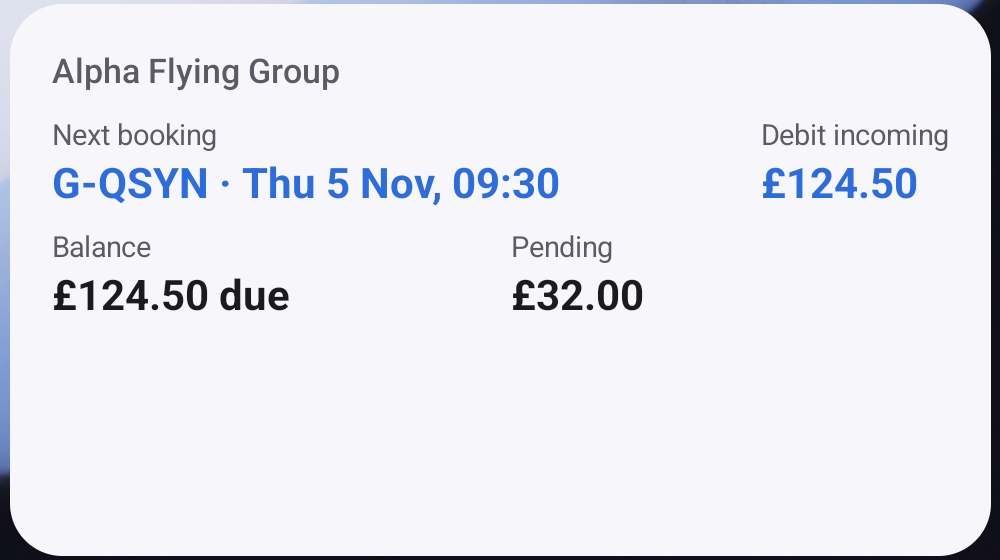
The medium widget shows the syndicate name above two rows: Next booking and any Debit incoming, then Balance with any Credit and Pending.
| Line | What it shows | Tapping it opens |
|---|---|---|
| Syndicate name (no label) | Your default syndicate. | Nothing: the name is not a tap target. |
| Next booking | The asset and start time of your next upcoming flight, or None upcoming when you have none. A maintenance booking you made is passed over for the flight after it. | That booking’s detail, when there is one. |
| Balance | What is due in that syndicate, what you are in credit, or Settled. | Your balance screen. |
| Credit | Credit you could use, when you also owe charges. Shown beside Pending when both apply. | Your balance screen. |
| Pending | Money you will owe from usage that has been logged but not yet finalised, when any exists. | Your balance screen. |
| Debit incoming | A Direct Debit collection about to take money, and what it is taking, when there is one. No day is shown: the payment provider decides when a collection goes and does not report the choice. | Your balance screen, where the charges it is taking are listed. |
Credit, Pending and Debit incoming disappear when there is nothing to show. Next booking and Balance always render: an empty diary reads None upcoming, and a balance with no transactions yet reads Settled.
Behaviour rules
Section titled “Behaviour rules”- It follows your default syndicate. The widget anchors to the syndicate you have set as your default, so an ambient surface stays stable rather than jumping around as you move between syndicates in the app. Change your default and the widget moves with it on the next sync.
- The balance reads as what you owe. A figure greater than zero reads £X due, and a credit reads £X in credit. A member who has no transactions yet, or whose balance row has not synced, reads as Settled rather than a blank line.
- Credit is never taken off what you owe. It is the same figure as the balance screen’s: credit is used only when you choose it, so if you owe £50.00 and hold £120.00 of credit, the widget reads £50.00 due with a Credit line of £120.00, never £70.00 in credit. With credit and nothing owed there is no Credit line; the balance itself reads £X in credit. See The same figure everywhere.
- Pending mirrors the in-app figure. The Pending line is the same unfinalised-usage total shown on your balance screen — charges from bookings that have ended but have not yet been finalised. It is informational: it does not change your settled balance, and it disappears once the relevant bookings are finalised. The line is hidden when you have no pending usage.
- There is no “Not due yet” line. A cash call not yet due is not on your ledger, so neither the widget’s Balance nor the app’s counts it, and the two figures agree. The app names the waiting amount on a Not due yet line; the widget leaves it out. Open the balance screen to see it.
- Not in a syndicate yet → the widget reads Join a syndicate; tapping it opens the Syndicates screen to join or create one.
- More than one syndicate and no default set → the widget reads Set your default; tapping it takes you to the Defaults card, where you set it. The widget (and your watch) then anchor to that choice.
- Signed out → the widget drops to a generic state reading Syndik8 and Tap to open the app., with no booking, balance or pending figure visible. Your figures are never left on screen for whoever next picks up the phone.
- Dates match your account settings. Booking dates use your chosen clock format and date order, the same as in the app. The incoming-debit row carries no date to format.
- It updates on sync, not live. The widget reflects the last snapshot the app published. Open the app to pull the latest and the widget refreshes with it.
- Data is per-user. Sign in as someone else and the widget shows their data, never the previous user’s.
See also
Section titled “See also”- Home shell tabs
- Add the home-screen widget
- Use home-screen shortcuts
- Member balance
- Cash calls: why a cash call not yet due is in neither balance figure