
Correct a finalised booking
Correct a finalised booking
Section titled “Correct a finalised booking”Finalisation is deliberately one-way for the ledger: once a charge is posted, the original transactions stay there. Corrections are made by posting new transactions, never by deleting old ones. Putting right a mistake found after a booking is finalised is two separate decisions, made in this order:
- Correct the flight. This fixes the technical log and the asset’s meter. It never posts any money.
- Decide the money. The booking tells you what it was charged and what the corrected flights now price at. Nothing is billed until you press Apply the new charge.
A maintenance booking is the exception: there is no charge to apply, so correcting the flight fixes the readings and the technical record and the booking offers no money controls at all.
The most common reasons to reach for this recipe:
- A booking was closed by its pilot or auto-finalised because its log was internally consistent at the time, and a later flight reveals the originally-recorded end reading was off by a small amount. (Finalising promptly accepts this trade-off; see auto-finalisation.)
- The most-recent flight on an asset was finalised (by its pilot closing the booking, by the sweep, or by bulk finalisation) with nothing yet flown after it, and the next pilot’s start reading, when they eventually flew and logged, turned out to disagree with the recorded end reading.
- A flight was logged after the booking was finalised: from the End Flight card, the Apple Watch, or a device that was offline when the booking was closed. The flight is kept but not billed. Every admin gets a Booking Needs Attention notification that opens the booking, and the booking is listed under Needs attention on the Admin Pending page until someone applies the new charge. The booking shows Flights changed since finalising with the late flight priced in, and Apply the new charge posts the difference and takes the booking off the list. There is a worked example below.
- A continuity-conflict notification fired some time ago, the booking was finalised manually with the values that looked right at the time, and subsequent flights have since clarified what the truth actually was.
Catch it before finalising where you can. If the booking is still confirmed, fix the reading at source instead: use Correct inputs on the finalise card and the recomputed charge is billed directly, with no adjustment needed. This recipe is for the case where the booking is already finalised.
Before you start
Section titled “Before you start”- You must be an admin (a treasurer needs the admin role). This is an admin-only action: the member who flew cannot self-correct a finalised booking; they raise it with an admin. The same is enforced by Syndik8 itself, not only by the screens.
- You’ll need to know what the corrected value should be, usually after talking to the member or by reading the next flight’s start reading.
- Have the booking’s detail screen open. The member will be visible at the top.
- The money controls need a connection. Nothing here is saved offline.
- A past booking brought in by an import has no flight, because the system it came from already billed it. It has no Correct flight and nothing to re-price, so only Add charge or credit is offered there.
Correct the flight
Section titled “Correct the flight”- From the booking’s detail screen, tap the pencil beside the flight you need to change. Its tooltip reads Correct flight. Every flight on the booking has one.
- Give a reason. It is required and is kept in the audit trail. Tap Continue.
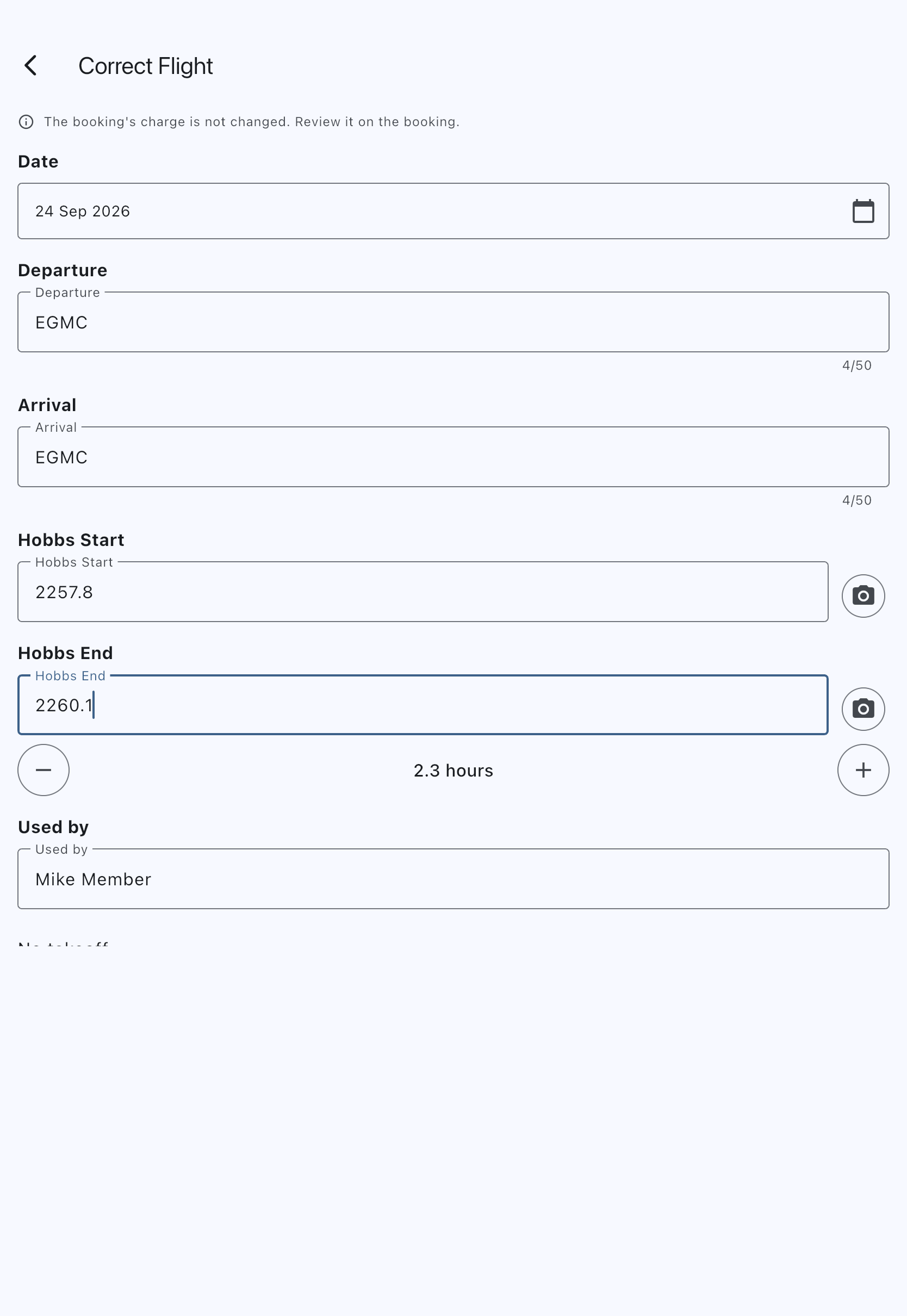
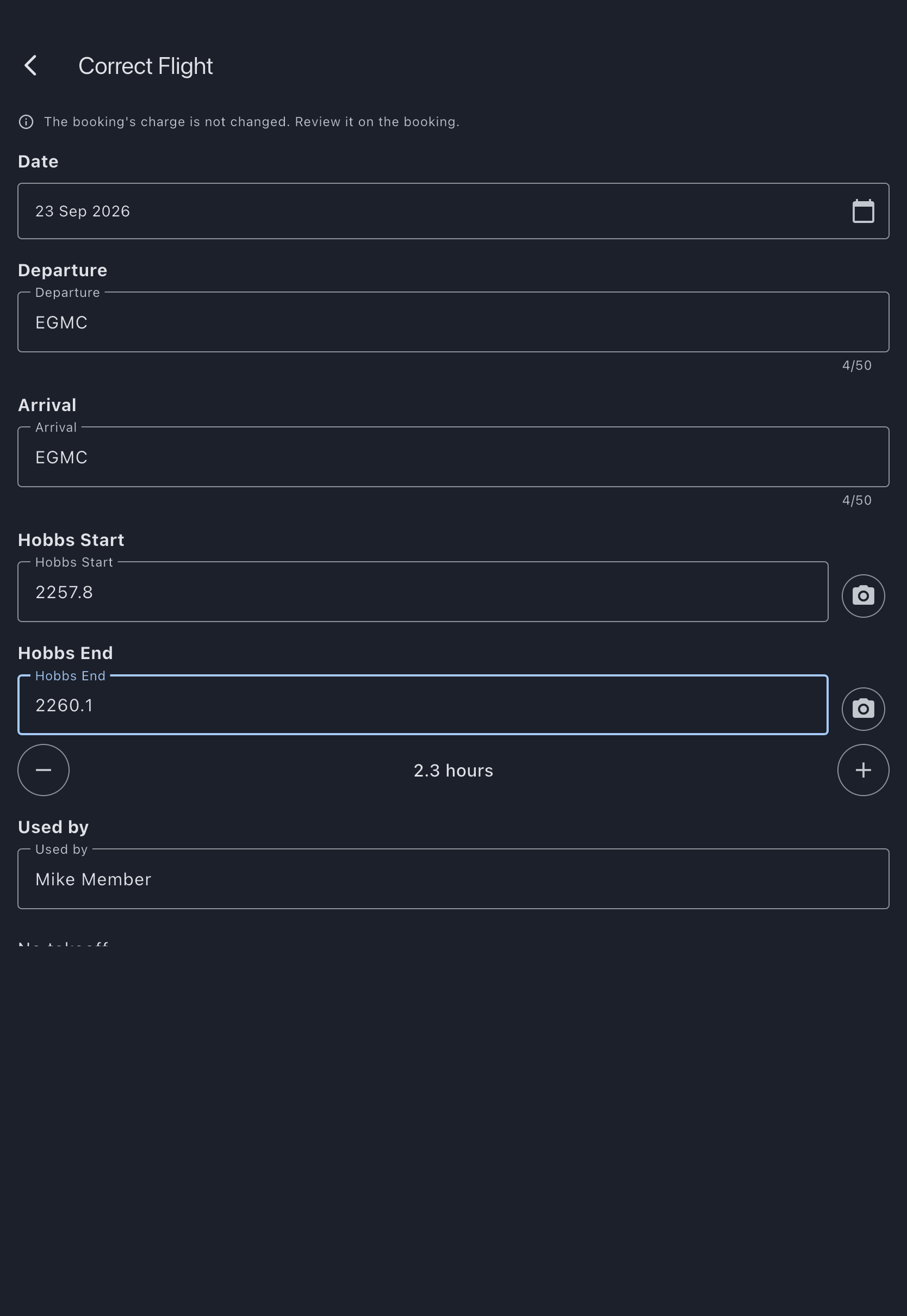
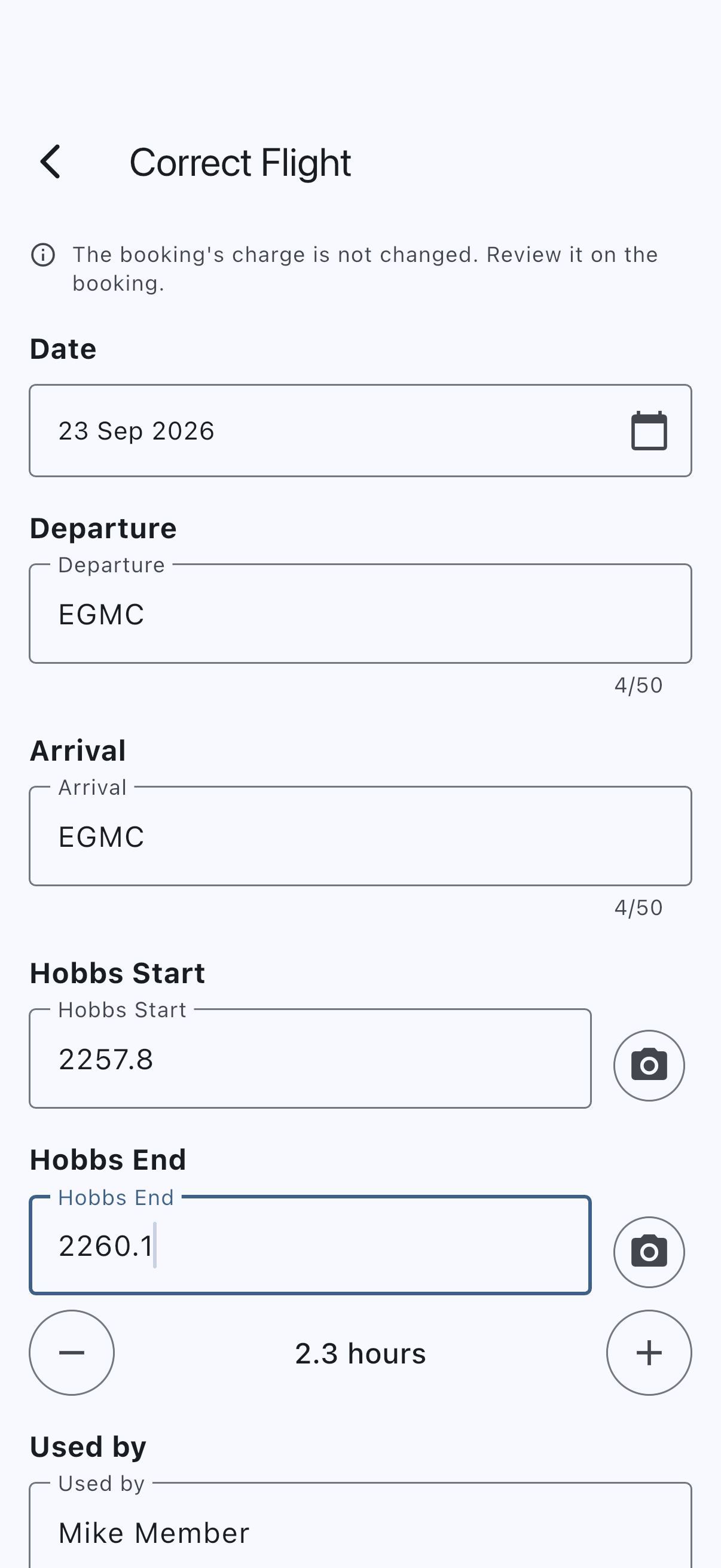
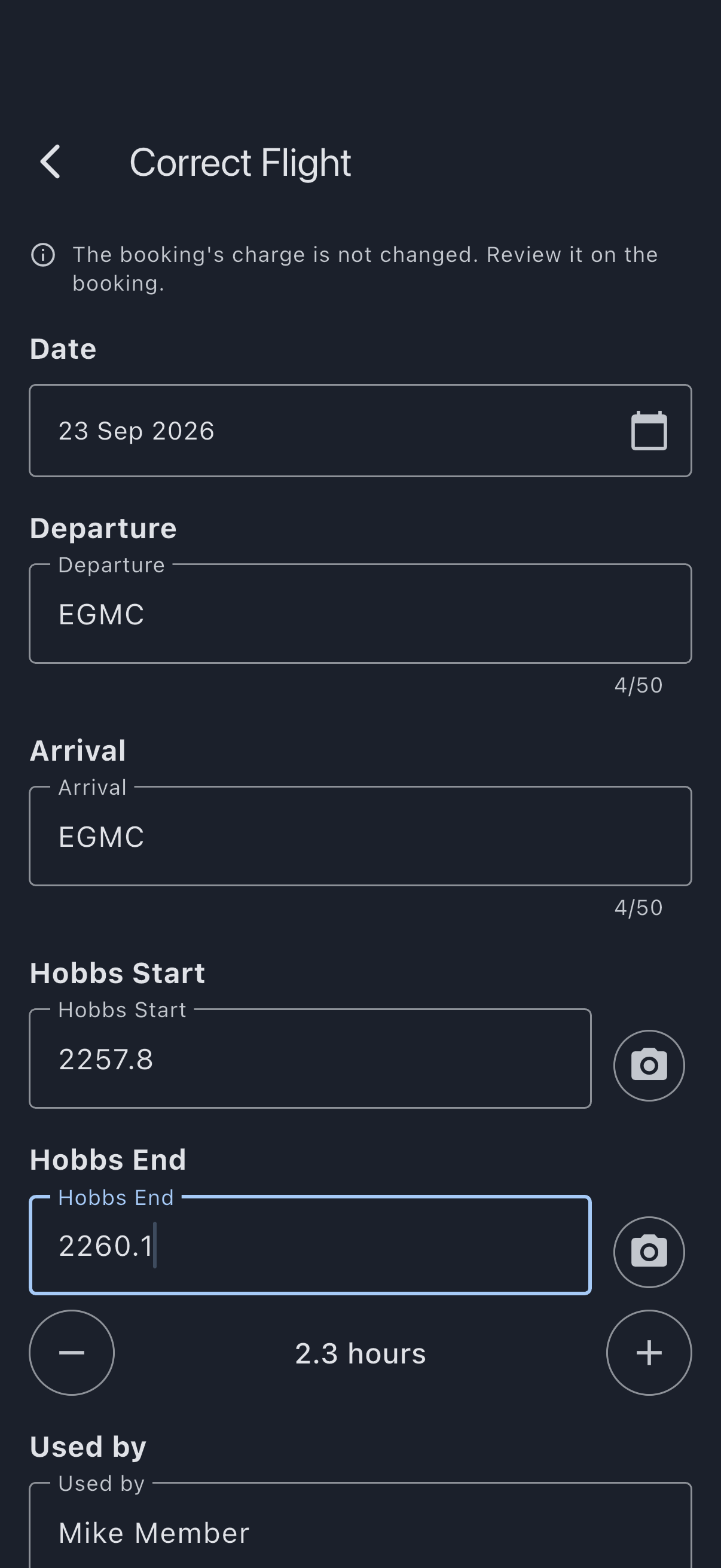
- Fix the wrong values on the Correct Flight form. It looks like Edit Flight and every field can be changed: the meter start and end readings, the block and airborne times, landings, touch-and-gos, the airfields, fuel, oil, the pilot in command, who used the aircraft, and the notes. Used by shows the person recorded on the flight. Each reading and time is labelled with your syndicate’s name for it, as on the Log Flight form (for example Tacho Start or Brakes off).
- Tap Update Usage.
The form says, at the top, The booking’s charge is not changed. Review it on the booking. That is exactly what it does:
- The flight record is corrected in place. The values it held before are preserved in the audit trail (who changed what, when, and why), so the record of what was originally captured is never lost.
- The asset’s meter and maintenance “next due” are recomputed from the corrected readings.
- No money moves. The member is not charged, credited or told anything yet.
Review and apply the new charge
Section titled “Review and apply the new charge”Back on the booking, once the corrected flights no longer price at what was charged, or a flight has been logged since the booking was finalised, a notice appears:
Flights changed since finalising. Charged £240.00; the corrected flights now price at £600.00.
A late flight that does not change the price still shows the notice, with the same figure on both sides, for example “Charged £180.00; the corrected flights now price at £180.00.” Applying it then posts nothing: the dialog reads “The charge stays as it is. The flights will be marked as checked.” and the booking leaves the Needs attention list.
Under it is the same breakdown you saw when you finalised: usage, each event fee, the shortfall, and the new total. Syndik8 prices the whole booking again, every flight and the booking-level minimum together, because one flight’s change can move the minimum the others carry. The new price uses the settings the booking was finalised under: the shortfall rate, the daily minimums and the booking’s other billing settings are kept with the booking when it is finalised, and each flight keeps the usage rate it was logged at. Changing the aircraft’s or the syndicate’s billing settings afterwards never changes the price of a booking already finalised, and never brings up this notice.
To post the difference:
- Tap Apply the new charge.
- The dialog says what will happen: “The member will be charged £360.00 more.” or “The member will be credited £50.00.”
- Enter a reason. It is required and is shown on the member’s ledger line.
- Tap Apply.
What happens:
- One adjustment is posted to the member’s ledger for the difference. The original charge stays as it was.
- The booking leaves the Needs attention list, and the Booking Needs Attention notification clears for every admin.
- The member is sent a Booking charge corrected notification.
Waive the new shortfall in the same step. When the corrected flights introduce a shortfall, a Waive the shortfall tick appears beside Apply the new charge, with the hint “Tick to waive the new shortfall.” Ticking it changes the notice and the breakdown to the figure with the shortfall left out, and the dialog confirms that figure. Apply then posts the change and the Shortfall waived credit together, and the member is sent one Booking charge corrected notification showing the net. For example, a flight corrected from 6 hours down to 4 lowers the usage charge and brings a shortfall; ticking the box credits the member the whole usage reduction in one step, instead of applying and then waiving. The tick is offered only when the new figure has a shortfall that has not already been waived.
If the figure moved. Syndik8 prices the booking again at the moment you press the button. If anything changed since you read it (another admin corrected a flight, a late flight was logged) nothing is posted and you are told: “The figures have changed since you looked. Review the new charge and try again.” The notice then shows the figure that would be posted.
You can correct a flight more than once, or correct several flights, before you apply: one Apply the new charge posts the whole difference. Correcting a flight back to what was charged removes the notice.
What the member is told
Section titled “What the member is told”When you post money to a finalised booking (the new charge, a waiver, or a charge or credit of your own) the member is sent a Booking charge corrected notification. It reads “An admin corrected your booking on date: £X added to your balance.” when they now owe more, or “An admin corrected your booking on date: £X credited to your balance.” when they owe less. Tapping it opens the booking.
- A credit comes off what the member owes next. It is not paid back to their bank; for that, see If the member has already paid below.
- Correcting a flight on its own sends nothing, because nothing has changed on the ledger.
- Nothing is sent when you change your own booking.
- Members cannot switch this notification off, the same as Payment corrected. See Notification types.
Example: a late flight
Section titled “Example: a late flight”- Sam’s Saturday booking on G-QSYN is billed at £180 for an hour’s flying.
- On Monday Sam logs a second hop he had forgotten, half an hour long, from his phone, which had not synced since Saturday and still showed the booking as open.
- The booking appears under Needs attention on the Pending page, and every admin gets a Booking Needs Attention notification.
- The treasurer opens the booking. It reads “Flights changed since finalising. Charged £180.00; the corrected flights now price at £270.00.” They tap Apply the new charge, give a reason and tap Apply. One adjustment of £90 is posted.
- Sam is sent Booking charge corrected: “An admin corrected your booking on date: £90 added to your balance.” The booking leaves the Needs attention list, and the admins’ notification clears.
Waive the shortfall, or add a charge or credit
Section titled “Waive the shortfall, or add a charge or credit”The two discretionary decisions the finalise card offers are available on the finalised booking too.
- Waive shortfall. Shown only when a minimum-usage shortfall was actually charged on the booking, so never on a booking with no flights. It credits the member that shortfall, recorded as Shortfall waived. It can be done once, and only when there is nothing waiting to be applied. If the flights have changed, tick Waive the shortfall beside Apply the new charge instead, described above. A shortfall that has been waived stays waived if you later correct a flight.
- Add charge or credit. For a correction that isn’t a captured-usage fix (a goodwill credit, a one-off fee, a manual tidy-up). Choose Charge to charge them more or Credit to credit them, enter the amount as a positive number and a description, then tap Add. If the answer is lost, saving again from the same open form never records it twice.
Neither touches the flight record, and a charge or credit you add is not part of the flights’ price: correcting and re-applying later never reverses it.
What the booking has charged
Section titled “What the booking has charged”The Charge card on a finalised booking opens with every line on the ledger against the booking, oldest first: the flight charge, any landing fees and shortfall, a waiver, the difference Apply the new charge posted, and each charge or credit added with Add charge or credit. Each line shows its description, Added and the day, and its amount, with a credit shown as negative; Total is what they come to. A line a correction cancelled is left out of both. A line added on another device appears without reopening the booking, once it has synced. A booking with nothing on it says Nothing has been charged for this booking.
The member sees the same lines on their own finalised booking, without the controls. On another member’s booking they see no Charge card: their device holds only their own charges.
If the member has already paid
Section titled “If the member has already paid”Correcting a booking always works on the ledger: a downward correction leaves the member in credit against future charges, whether or not they have paid the original charge yet. It sends no money anywhere.
If they have already paid and the difference should go back to their bank rather than sit on their account, correct the payment instead of the booking. Do it from Admin → Refunds & chargebacks — see Refund or correct a payment. Whether the money reaches their bank or lands on their account depends on how they paid; that page shows which you will get. Either way, choose one route or the other: applying a credit and correcting the payment for the same difference would pay the member twice.
What you should NOT do
Section titled “What you should NOT do”- Do not delete the original transactions. Posted ledger entries are sacrosanct. Even with admin database access, deleting a transaction destroys the audit trail and breaks balance reconciliation. The correction posts a new adjustment; the originals stay.
- Do not re-finalise the booking. It’s already finalised. Correct the flight and apply the new charge; trying to finalise again will fail (the booking is already finalised).
Why the flight and the money are separate
Section titled “Why the flight and the money are separate”The flight record and the ledger answer different questions:
- The flight record answers “what did the meter read, as captured?” Correcting it in place (with the original kept in the audit trail) keeps it the truthful operational and regulatory record while preserving the history of what was first entered.
- The ledger answers “what was charged?” It stays append-only: the original charge is left intact because it represents what happened on the ledger at the time, and the correction adds a new net adjustment for the difference.
Keeping them apart means fixing a reading never bills or credits a member as a side effect. You see the new price, and you decide. This separation is also standard double-entry bookkeeping practice and what every accounting system Syndik8 might integrate with assumes.
See also
Section titled “See also”- Finalisation rules: when a booking can finalise, and how each path handles a junction.
- Reversals: the broader class of correction actions, and what happens when money goes back.
- Refund or correct a payment: putting right a payment a member has already made.
- Tacho-continuity conflict: the most common cause of needing this correction.
- Auto-finalisation: the fallback sweep for bookings nobody closed; this recipe is the forward-only recovery when a prompt finalisation turns out to have been wrong.
- Finalise multiple bookings at once: the bulk path; the most-recent flight finalised here is a common source of a later-discovered correction, once the next flight is logged and its start reading disagrees.
- Enable auto-finalisation: the toggle that decides whether the sweep finalises bookings the pilot left open.
- Close a booking: how a pilot finalises their own booking.