
Issue a cash call
Issue a cash call
Section titled “Issue a cash call”A cash call lets you ask every equity member for their proportional share of a one-off cost in a single step. Use it for anything that isn’t tied to a specific booking or expense, such as an engine overhaul, a hangar deposit, or an asset purchase. Each member’s share goes onto their balance on the due date you choose, or straight away if you make the call Due now; until then it is a notice, and members can pay early if they want to.
Before you start
Section titled “Before you start”- You must be an admin (a treasurer needs the admin role).
- The syndicate must have at least one active equity member (someone with shares greater than zero). Renters and former members are excluded from the split automatically.
- The syndicate must not be read-only. If it is closed, or over its free plan, the cash-call form says so at the top as soon as you open it, and Issue cash call stays switched off. See If it goes wrong.
- You must be online. Issuing a cash call records every member’s share in a single step on the server, which can’t be queued offline.
-
Open the syndicate.
-
Go to the Admin tab and tap Cash calls (under Actions).
-
Tap Issue cash call.
-
Enter a short title (e.g. Engine overhaul Q2 2026) and an optional description with context, supporting documents, or photos linked from elsewhere.
-
Enter the total amount, in your syndicate’s currency (the amount field is prefixed with the syndicate’s currency symbol). Thousands are separated with commas as you type, so 250000 shows as 250,000, as every money amount in the app does. Below the amount field, a live split preview shows each equity member’s share; read it carefully before continuing.
-
Choose when it is due:
- Due now: switch it on to put every member’s share on their balance straight away. It is due today, in the syndicate’s own day.
- Due date: otherwise, pick a date. Until then each share is a notice only: it is not on anybody’s balance, not in Pay All, and no Direct Debit collects it. Members see it in a Cash calls not due yet card with the date on it, and can pay early if they want to. On the date, each share goes onto the member’s balance as an ordinary charge. If you pick the wrong date, you can correct it afterwards without cancelling the call.
Members with a share still to pay get a daily Cash call due soon email starting 3 days out, and Cash call overdue daily after the date passes.
-
Tap Issue cash call.
-
You land on the cash-call detail screen, with a row for each member’s share showing its state: Not due yet, or Awaiting payment for a call that is due now.
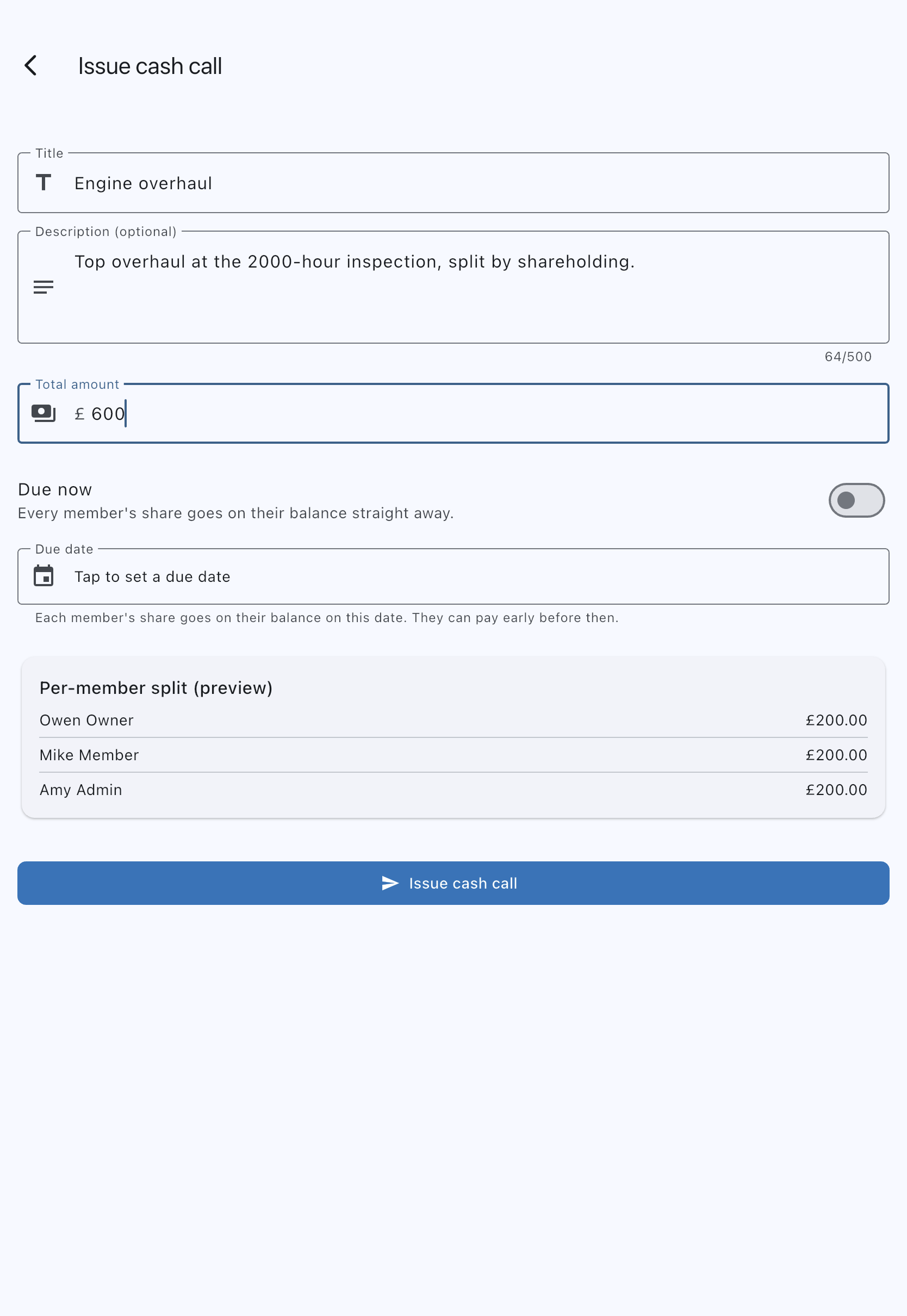
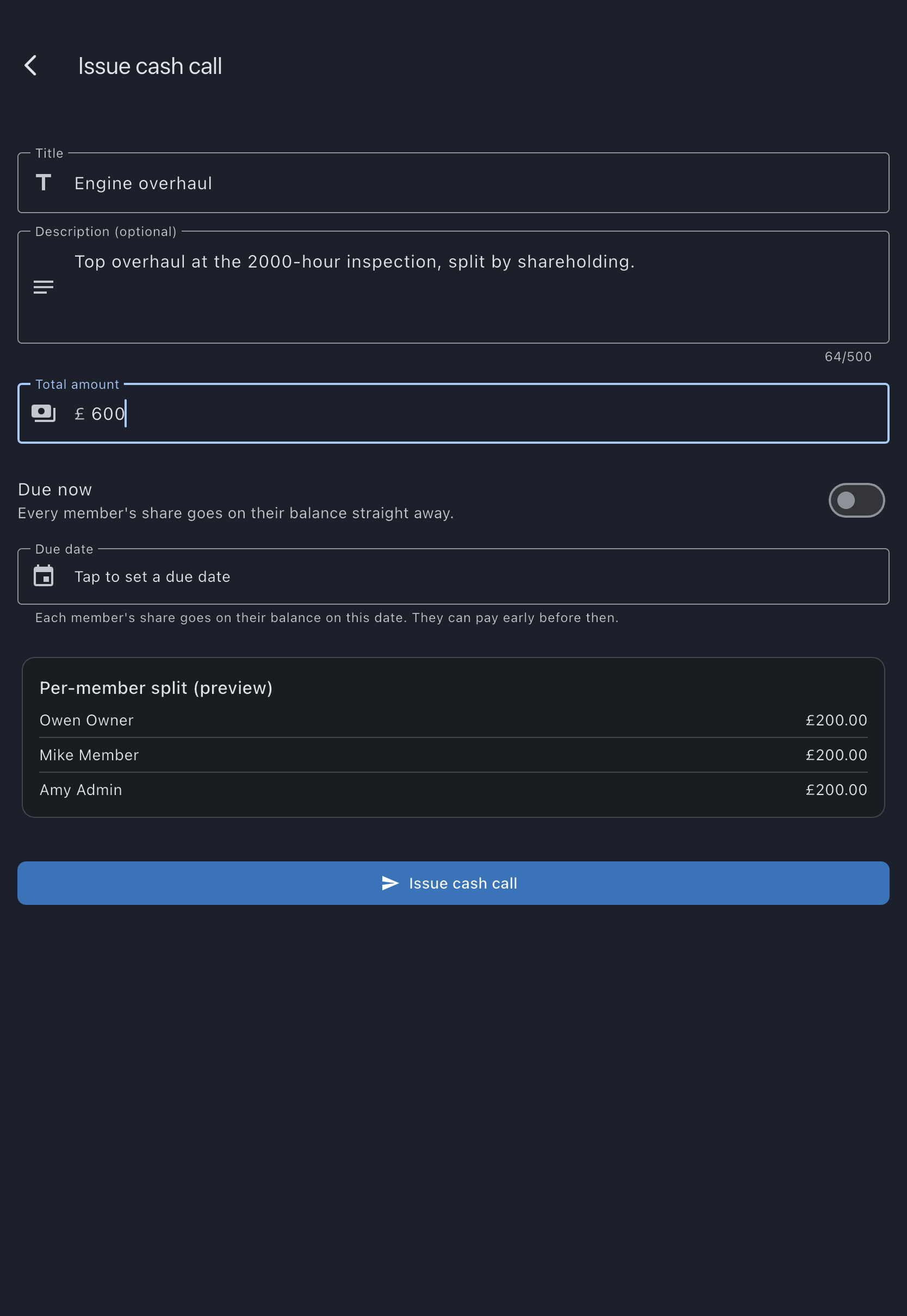
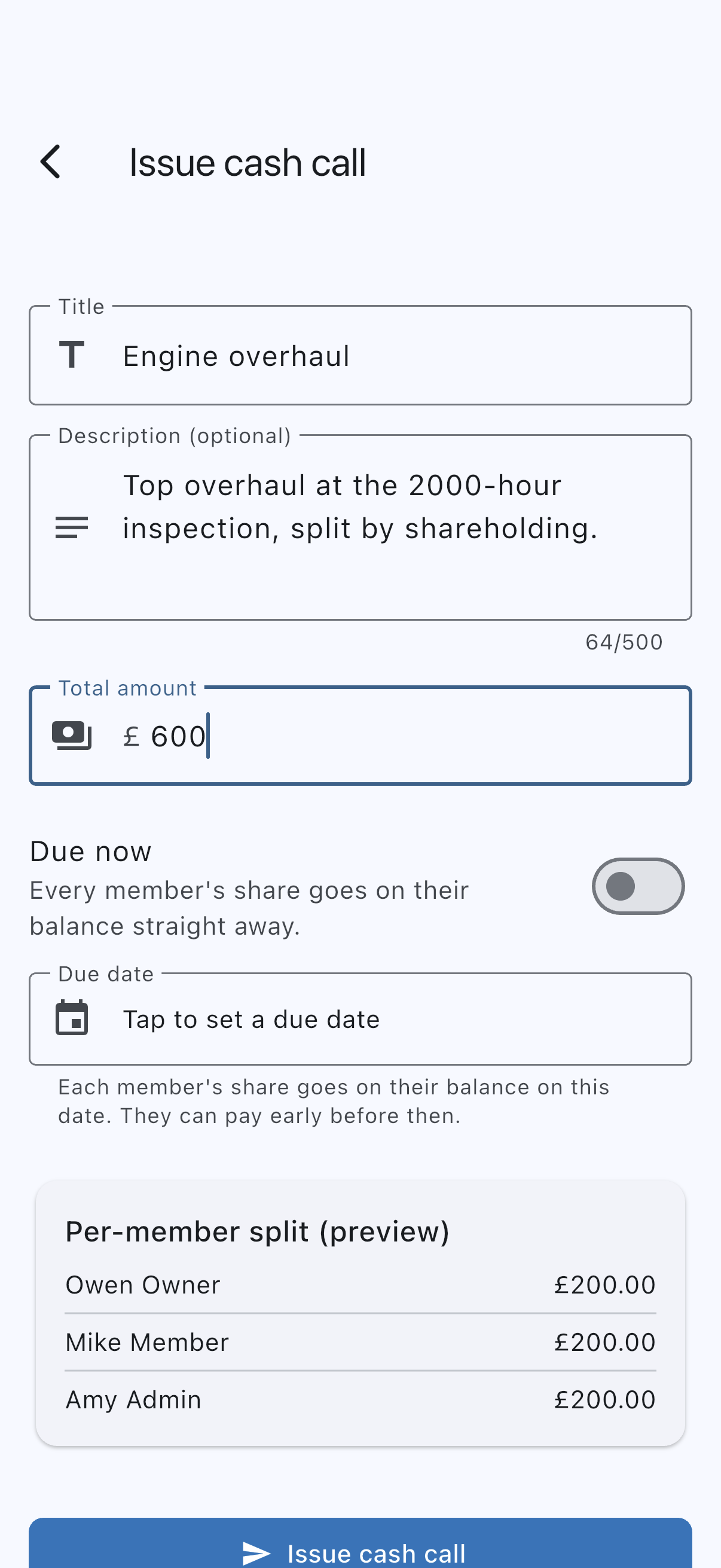
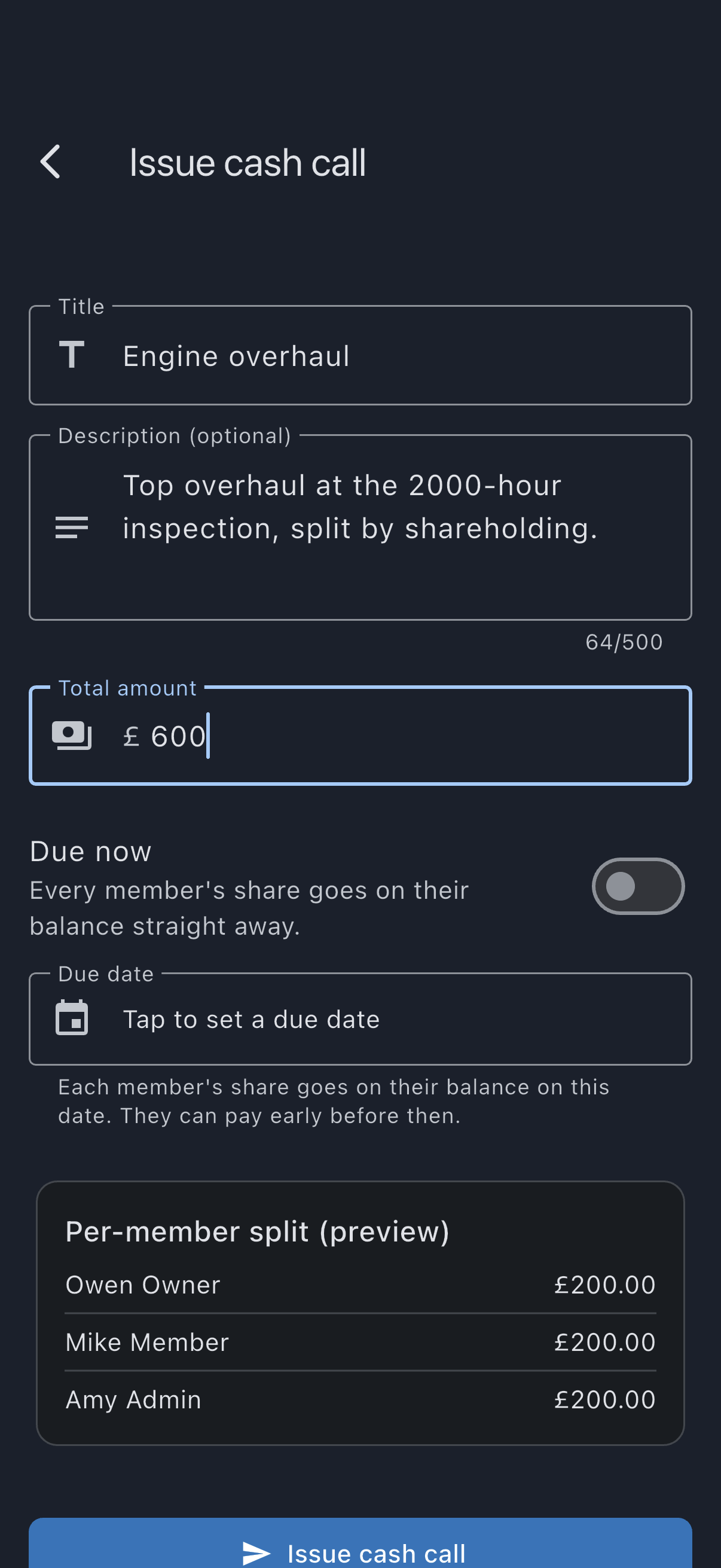
The split is computed at the moment you tap Issue cash call. If a member’s share count changes the next day, that doesn’t reshuffle shares already issued; each call freezes the shares as they were at issue time.
How the split works
Section titled “How the split works”The total is divided in the smallest unit of your syndicate’s currency (pence for a sterling syndicate, cents for one billing in euros or dollars), not the major unit, to avoid rounding away fractions. Each member’s share is their share-weighted portion rounded down to a whole unit; any spare units are then handed out one each, starting with the member whose portion lost the most in the rounding. For example, for a sterling syndicate: £300 split between three members with shares 2, 1, 1 divides cleanly into £150, £75, £75. £100.01 split the same way produces £50.01, £25.00, £25.00: the exact portions are £50.005, £25.0025 and £25.0025, so one spare penny is left after rounding down, and it goes to the 2-share member because their portion lost the most.
The preview on the create screen mirrors the same rule, so what you see is what gets written.
A call cannot be issued for less than a penny per share; the screen tells you the minimum. A call can be cancelled from its detail screen until a member pays, early or otherwise, or a collection starts holding a share; see Cash calls.
Withdrawing a call
Section titled “Withdrawing a call”Open the call from Cash calls and tap Cancel cash call. Type a Reason for cancelling, then confirm Cancel cash call, or tap Go back to back out. The reason is required, and every member the call asked will see it. Every share is marked cancelled with your name, the day and the reason. A share still waiting for its due date was never on anybody’s balance; one already on a balance leaves it but stays on the member’s record. The call stays listed as Cancelled. Every current member who still owed a share is told the call was cancelled; you are not. If anyone has already paid, the button is replaced by a note telling you to reverse individual charges instead.
Offline behaviour
Section titled “Offline behaviour”The Issue cash call button watches connectivity. When the device is offline, it disables and shows Cash calls need a connection. Try again when you’re online in a snackbar if you tap it. It re-enables automatically when the connection returns.
Leaving an unfinished form
Section titled “Leaving an unfinished form”If you go back after entering details, choosing a due date or switching on Due now, Syndik8 asks before throwing away the unfinished cash call. Choose Keep editing to return with your entries intact, or Discard my changes to leave without issuing anything. An untouched form closes without asking.
If it goes wrong
Section titled “If it goes wrong”- “Issue cash call” is disabled and you’re online. Either the syndicate is read-only, in which case the form says so at the top (see the last two entries), or the equity members have not loaded. Wait a moment; if the form says Couldn’t load equity members, check your connection and open the form again.
- Tapping “Issue cash call” does nothing and a field turns red. The form has a validation error: the title is empty, or the total is zero or isn’t a number. A total too small to give every member at least a penny reads Total must be at least £X, so every share is worth at least a penny (£X being the smallest total that gives every member a penny), with the smallest total that works. Fix the field that shows the error and tap again.
- The due date field says Choose a due date, or switch on Due now. You tapped Issue cash call with neither. Nothing was issued. Pick a date, or switch on Due now, and submit again.
- The split preview says This syndicate has no active equity members (cash calls are split across share-holders only). Every member in this syndicate is either a renter (shares = 0) or no longer active. There’s nobody to ask; you can’t issue a cash call until at least one equity member is on the roster.
- The cash call appears with no members’ shares. Wait a moment: the shares reach your device just after the call itself.
- The form says This syndicate is closed and read-only. The note sits at the top of the form from the moment you open it, and Issue cash call is switched off. The syndicate has been closed, and a closed syndicate’s ledger is frozen for everyone, admins included. Nothing can be issued. If the syndicate genuinely still needs to bill a shared cost, reinstate the syndicate inside its retention window and issue the call then; see close a syndicate.
- The form says This syndicate is over its free plan and is read-only. The note sits at the top of the form from the moment you open it, and Issue cash call is switched off. The syndicate is on the free plan with more than 1 aircraft or more than 3 members, so it is read-only until it is back within the plan. Nothing can be issued. A cash call is new spending, and this state only lets you settle up and tidy up. Either resubscribe, or trim back within the plan, and issue the call afterwards. See bring a syndicate within the free plan.
See also
Section titled “See also”- Correct a cash call’s due date, moving the date after the call is issued
- Cash call, what a cash call is and how it’s used
- Transaction types, the
Cash call chargeledger entry each member’s share becomes on its due date - Member balance, where members see their share land on the due date
- Grace period and read-only, the two read-only situations and what each one blocks