
Log a maintenance task
Log a maintenance task
Section titled “Log a maintenance task”Record that a maintenance item has been completed. If the item has an interval, Syndik8 also offers to schedule its next occurrence in the same step, worked out for you and editable.
Before you start
Section titled “Before you start”- You must be an admin.
- For usage-based (hours or cycles) items, the Completion Value must be greater than or equal to the previously logged value. Syndik8 rejects values that go backwards.
-
Open the asset: Syndicate → Assets → [asset].
-
Open Maintenance on the asset.
-
Tap the item you have completed.
-
Tap Log Completion.
-
Record the work. Every item asks for a Completed On date, chosen from a date picker: the day the work was actually carried out, which is not necessarily the day you are typing it up. Usage-based items ask for a reading as well:
- Usage-based items (hours or cycles) also ask for a Completion Value, in the field Reading at completion: the meter reading on the asset when the work was finished, which is not necessarily today’s reading if the work was done earlier. Every figure on the screen names the item’s own measure (for example “flying hrs” or “Tacho hrs”), so on an aircraft that records two hour scales you can see which one to read. Here Completed On opens on today, which is usually right — change it if the work was done earlier.
- Calendar-based items (a day, month or year interval) ask for Completed On only, with nothing pre-filled.
On both, the date can be earlier than today, and the item is filed under that day rather than under the day you typed it in. It cannot be earlier than the item’s previous completion. It is also the date a usage item’s secondary calendar limit (“50 hours or 4 months, whichever comes first”) is counted from, and the date the sign-off carries into the asset’s tech log — so a record entered a fortnight late still reads correctly in both.
-
If the item has an interval, Syndik8 also shows an offer to schedule the next occurrence, switched on by default, with the next due point already filled in. A calendar item keeps its anniversary — its previous due date plus the interval — so signing off a few days early or late does not move next year’s date. A usage item counts from the reading you have just entered plus the interval. Leave it as it is, edit it (a workshop slot already booked, for example), or switch the offer off to leave the item completed with nothing scheduled, which is what completing an item always used to do.
-
Add optional Notes describing the work.
-
Tap Submit.
If the reading is more than 5 above what the aircraft’s meter shows for that measure (5 hours on an hours item, 5 landings on a landings item), Syndik8 asks Check the reading before recording anything, naming the difference, the meter reading and your figure. Tap Change the reading to go back and fix it, or Yes, use [figure] to record it as typed. Up to 5 above goes through without a question: ground runs during the work and flights not yet logged often put the engineer’s figure a little ahead of the aircraft’s. A calendar item is never asked, because its date cannot be later than today.
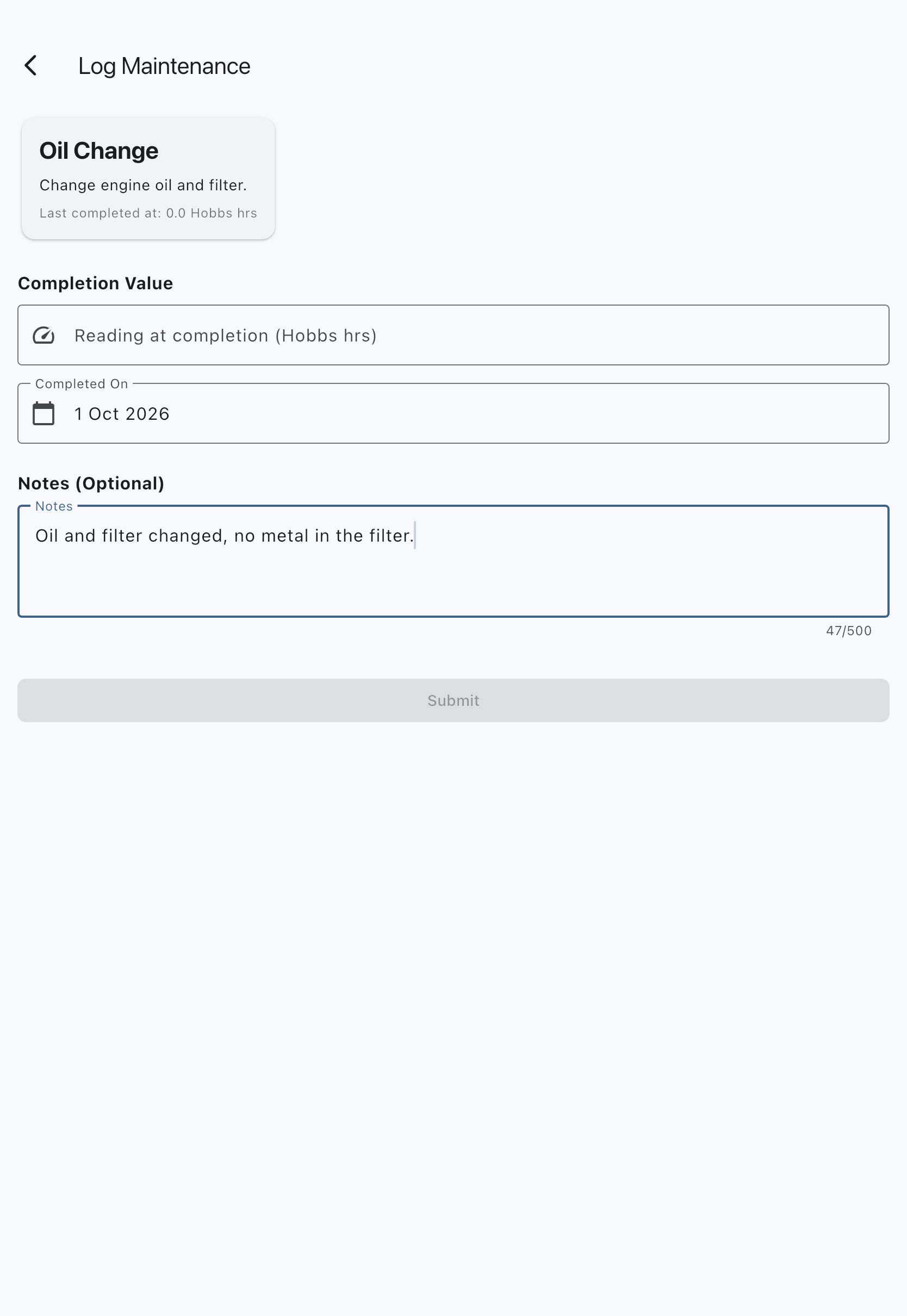
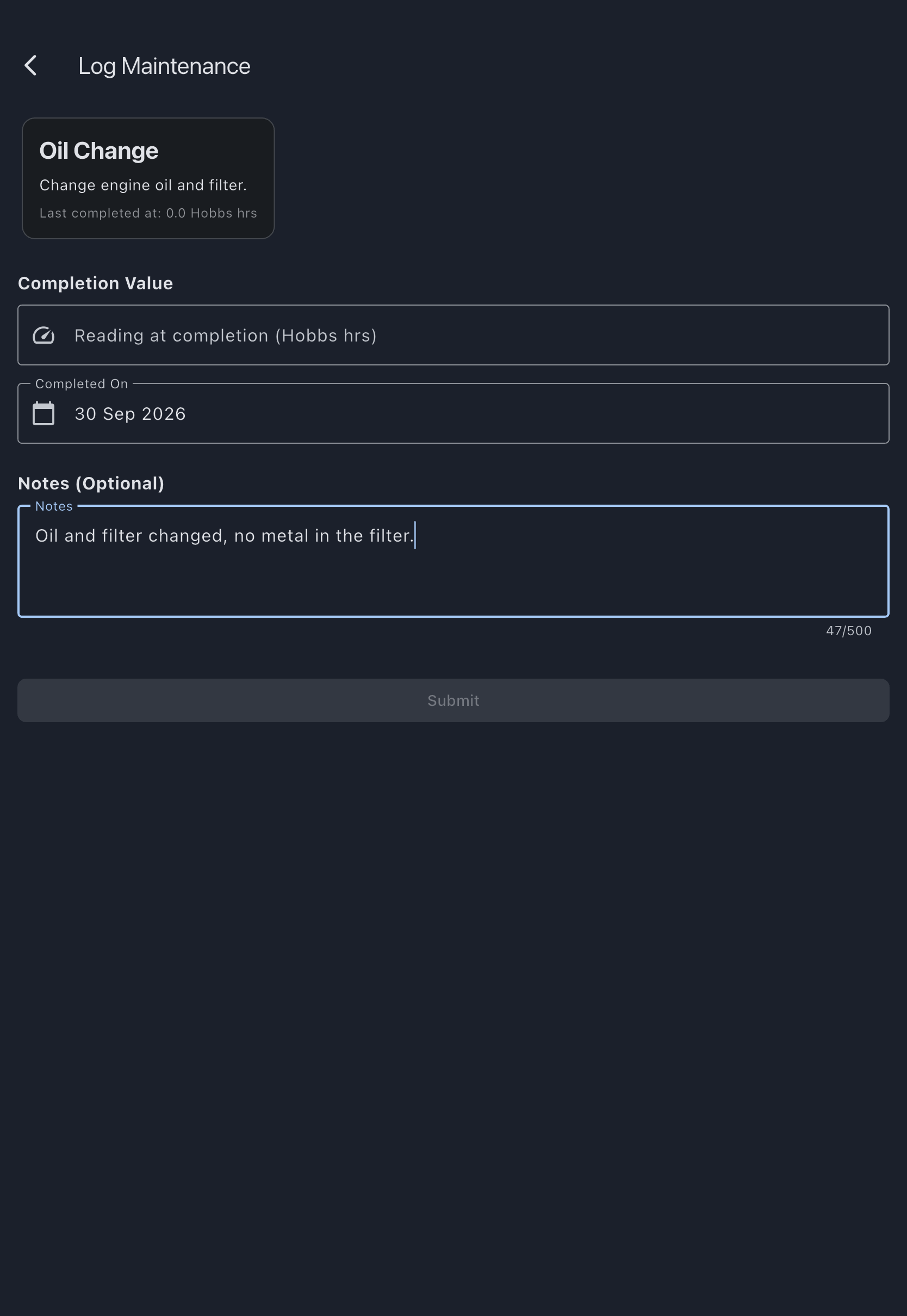
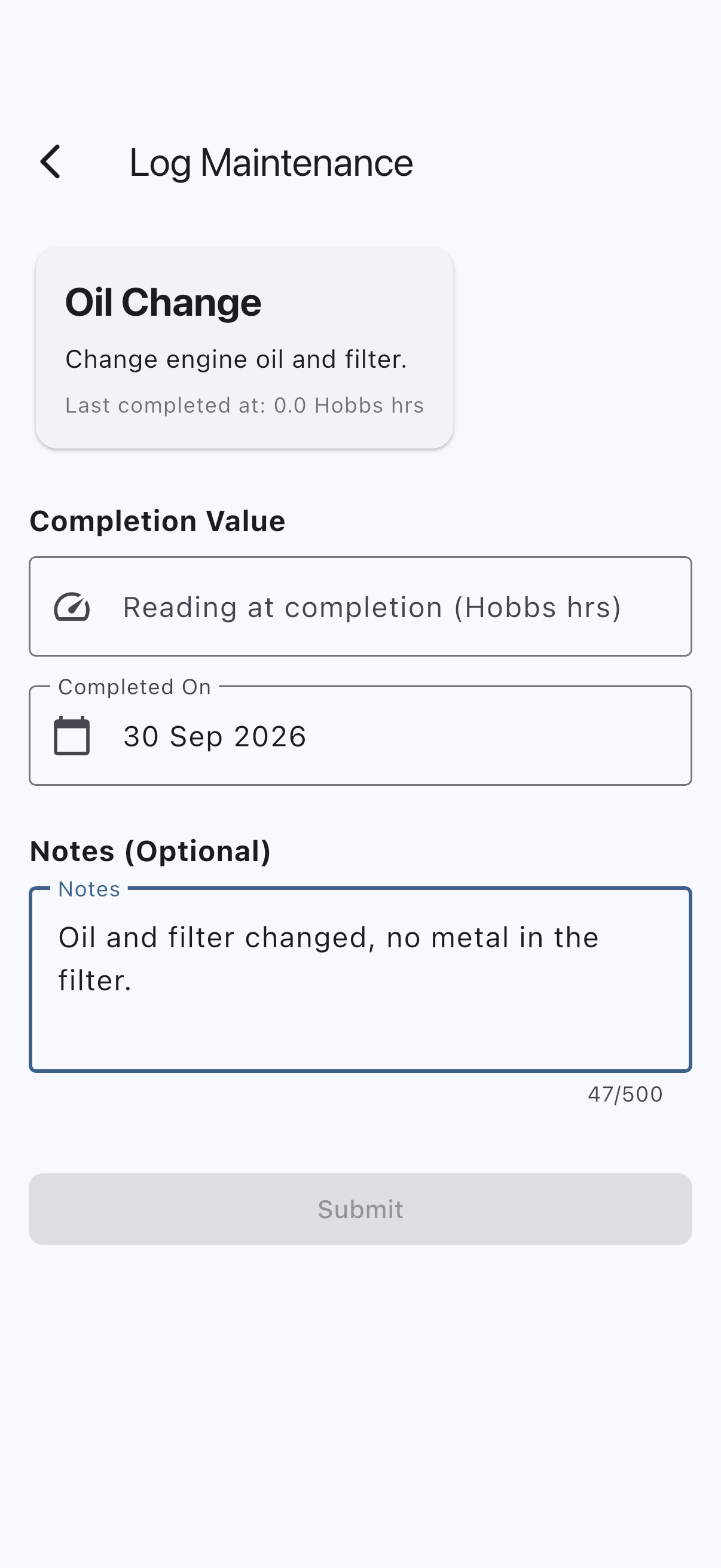
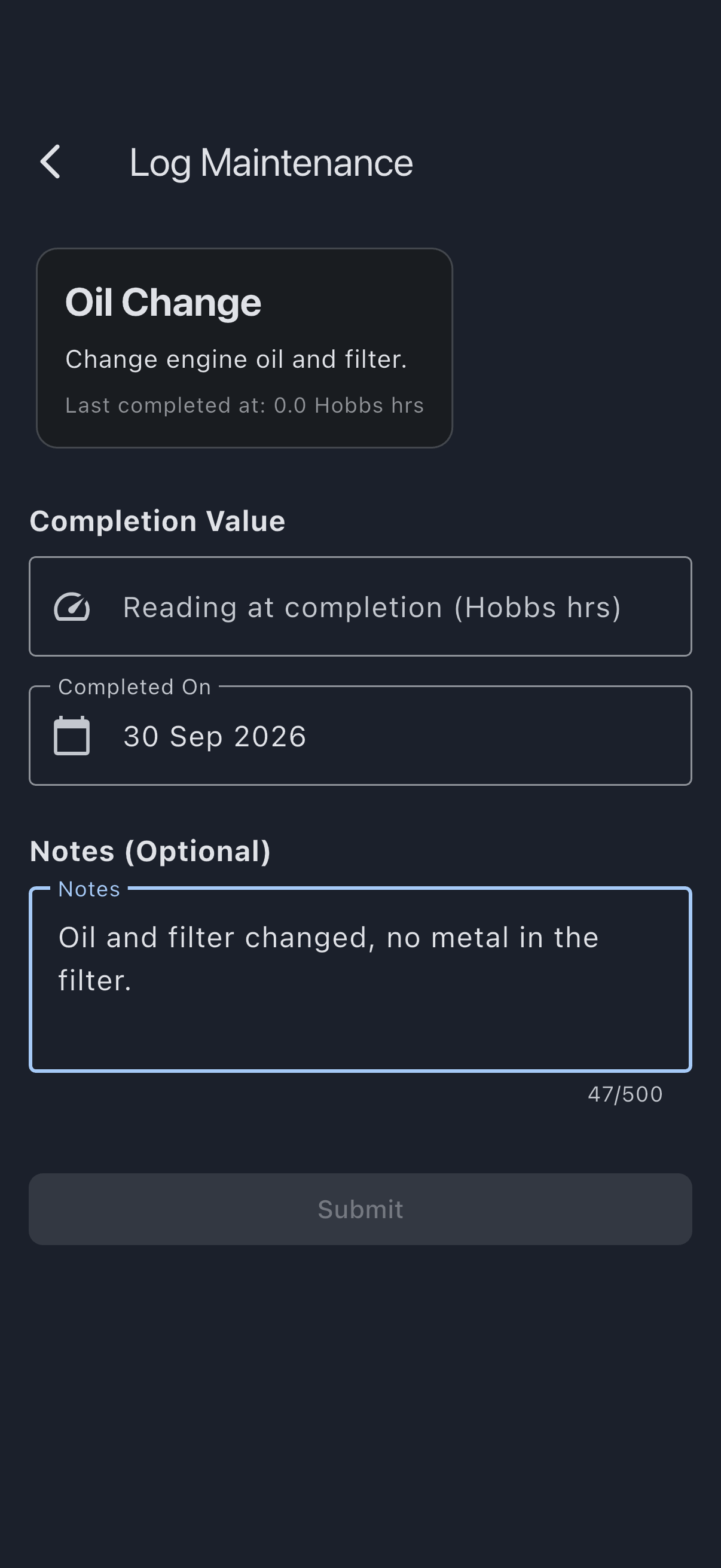
You see Maintenance logged successfully. The item’s last-completed reading is updated, and — unless you switched the offer off — the item is rolled forward to the next due point shown on the form, with its status recalculated instead of staying Completed. Signing off also clears every deferral on the item — both limits, where two were moved — and resets its secondary calendar limit if it has one, since all of them belong to the cycle that has just finished. The sign-off is added to the asset’s maintenance history, which appears in its tech-log export alongside flights and squawks.
Correct or void the last completion
Section titled “Correct or void the last completion”If the last completion was recorded wrongly, an admin can put it right without deleting the item or its history.
- Open the item, as in steps 1 to 3 above.
- Tap Correct last completion.
- Choose what to do:
- Change the reading: the work was done, but the reading was wrong (for example
1200typed for1001). Enter the Right reading. The item’s last completion becomes that figure, and its next due point moves by the same amount, so a 50-hour check filed at 1250 moves to 1051. The date is not changed. A right reading more than 5 above the aircraft’s meter asks you to check it first, as a sign-off does. An item signed off with no next one scheduled stays closed: only its recorded reading changes. - Void it: the completion should not have been recorded at all (for example it was logged against the wrong item). The item goes back to the completion before it, and its next due point is worked out again from that one. This is offered only when there is an earlier completion to go back to; with just one completion recorded, correct its reading instead.
- Change the reading: the work was done, but the reading was wrong (for example
- Enter a Reason. It is kept with the item’s history.
- Tap Save or Void.
Correct last completion is not offered once the item has been moved onto another meter since it was last signed off: its last completion is a reading on the old meter, so there is nothing on the new one to correct or go back to.
Nothing is deleted. The original entry is kept, marked with who changed it, when and why, and the asset’s tech-log export shows the corrected entry in its place. Any deferral on the item is cleared, because it was granted against the limit that has just moved; defer it again if you still need to. A correction needs a connection.
If it goes wrong
Section titled “If it goes wrong”- “Can’t be less than the last completion (N)”: the new completion value cannot be less than the previous one. A value equal to it is accepted. Check the meter reading and re-enter. If the last completion itself was recorded wrongly, correct it first.
- “This check changed while you were correcting it”: somebody signed the item off, deferred it or corrected it while your correction was open, or a sign-off made offline on another device has not finished uploading. Nothing was changed. Open the item again and check where it stands; if a sign-off is still uploading, wait for it to arrive.
- “Couldn’t change the completion. Nothing has been saved.”: the change was refused, for example because a completion recorded on another device arrived while your correction was open. Open the item again and check which completion is now the last.
- “Couldn’t change the completion. Nothing has been saved. Check your connection and try again.”: the change did not reach the server. Check your connection and try again.
- “Please enter a valid number”: numeric characters only.
- “Please select a completion date”: on a calendar-based item the date field is required and starts empty, so Submit stays greyed out until you pick one.
- “This cannot be before the last completion on …”: the work cannot have been carried out before the previous time it was signed off. Check the date you picked. This applies to both kinds of item.
- “Enter where this next falls due, or switch off scheduling”: the next due point has been cleared, or holds something Syndik8 cannot read, while the offer to schedule the next occurrence is still switched on. It will not file a next occurrence against a limit nobody chose — put a due point back, or switch the offer off to leave the item completed with nothing scheduled.
- “Someone else has recorded this check since you opened it. Nothing was saved. Open it again to see where it stands.”: the check’s limit moved while this form was open — usually another admin signing the same work off, but a deferral does it too. Submitting the same form again won’t work. Close it, open the item again, and check where it now stands before entering anything: the work is already on record if somebody else signed it off, and a second entry would advance the check a second cycle and put a duplicate in the tech log.
See also
Section titled “See also”- Maintenance items: what the next-due fields mean, and how recurrence works
- Maintenance intervals: hours vs days
- Add a maintenance item: set one up before you can log against it
- Defer a maintenance limit: push a limit out instead of completing the work