
Download or share your statement
Download or share your statement
Section titled “Download or share your statement”Syndik8 groups your transactions by calendar month on the member-balance screen, and can export that same statement as a PDF or CSV for any date range you choose.
- Open the syndicate.
- Go to My Balance.
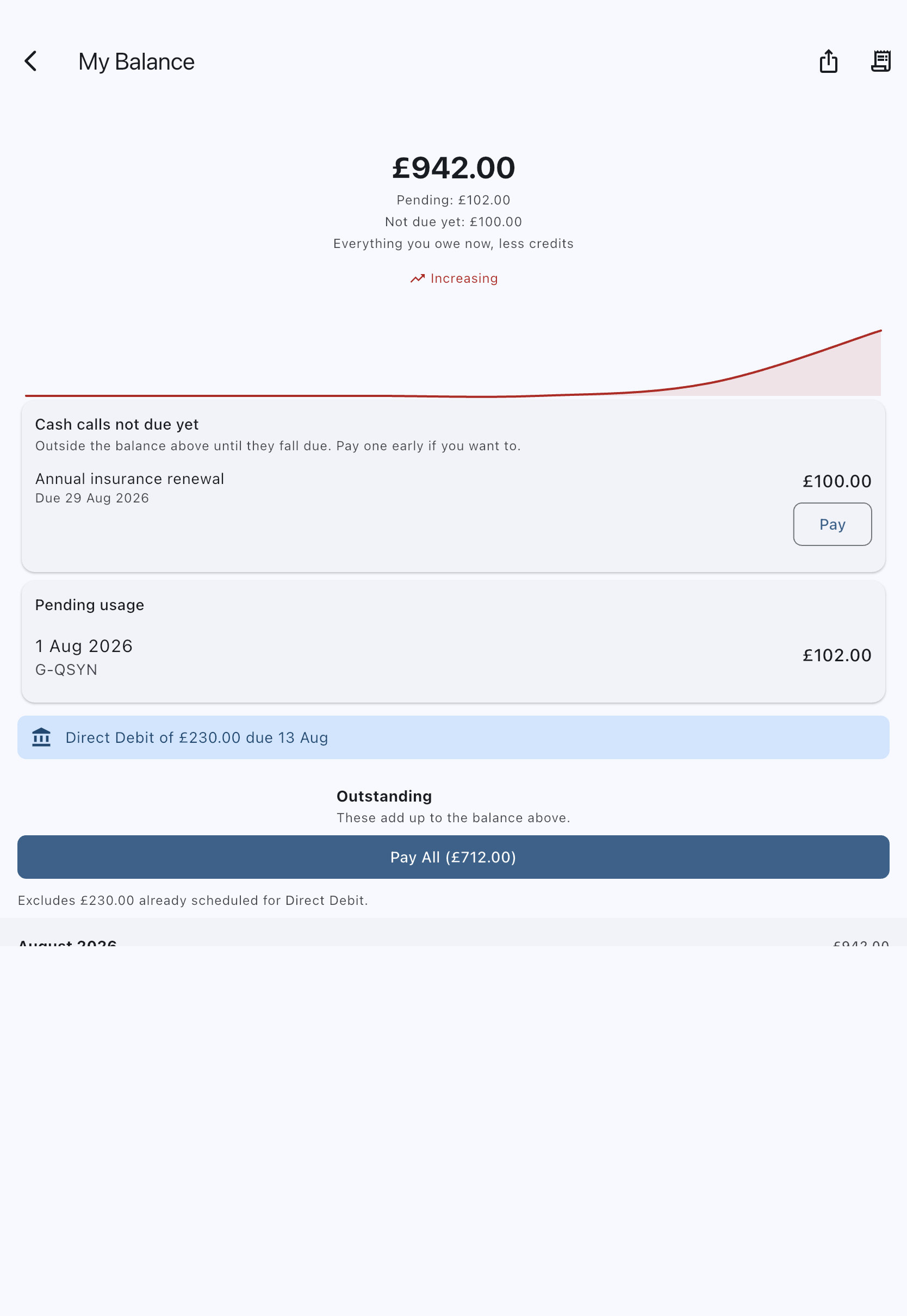
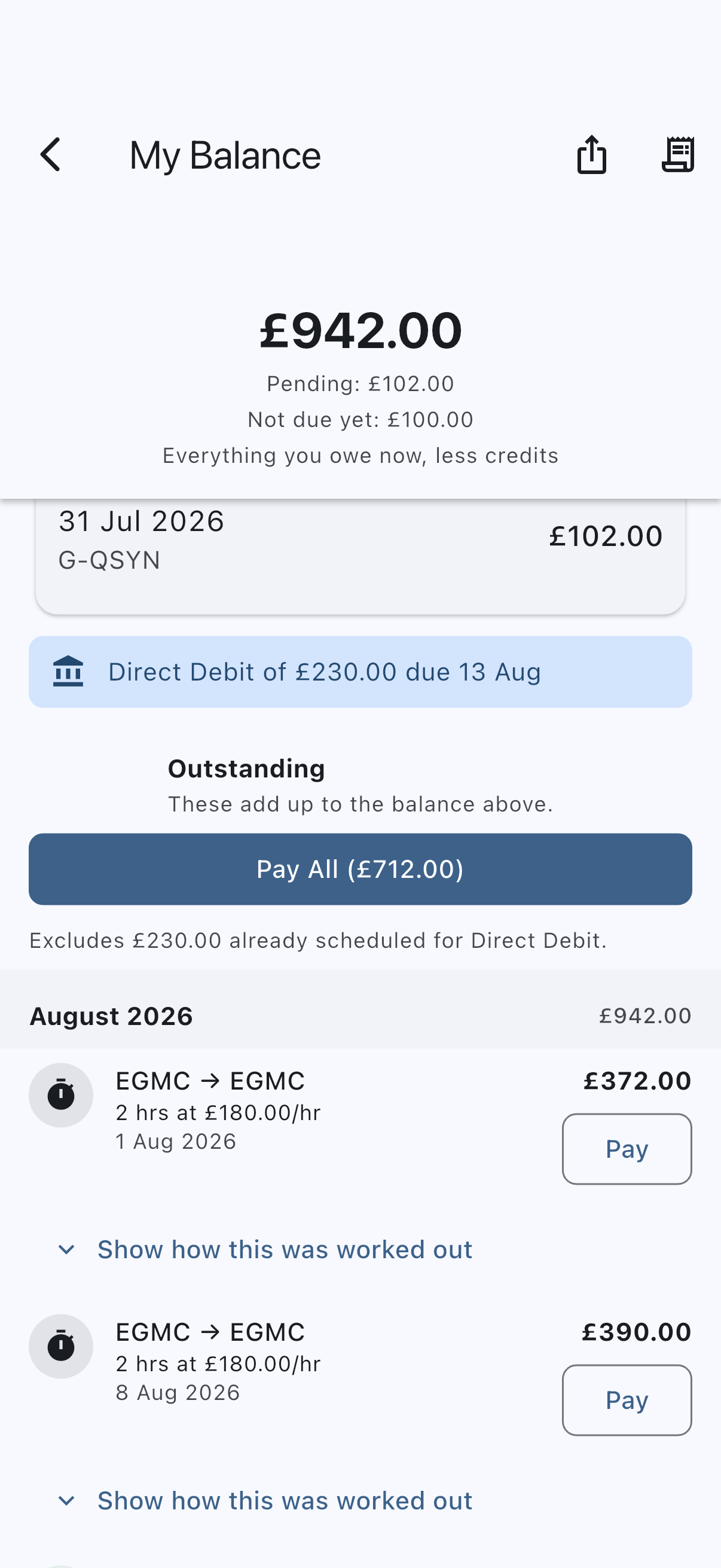
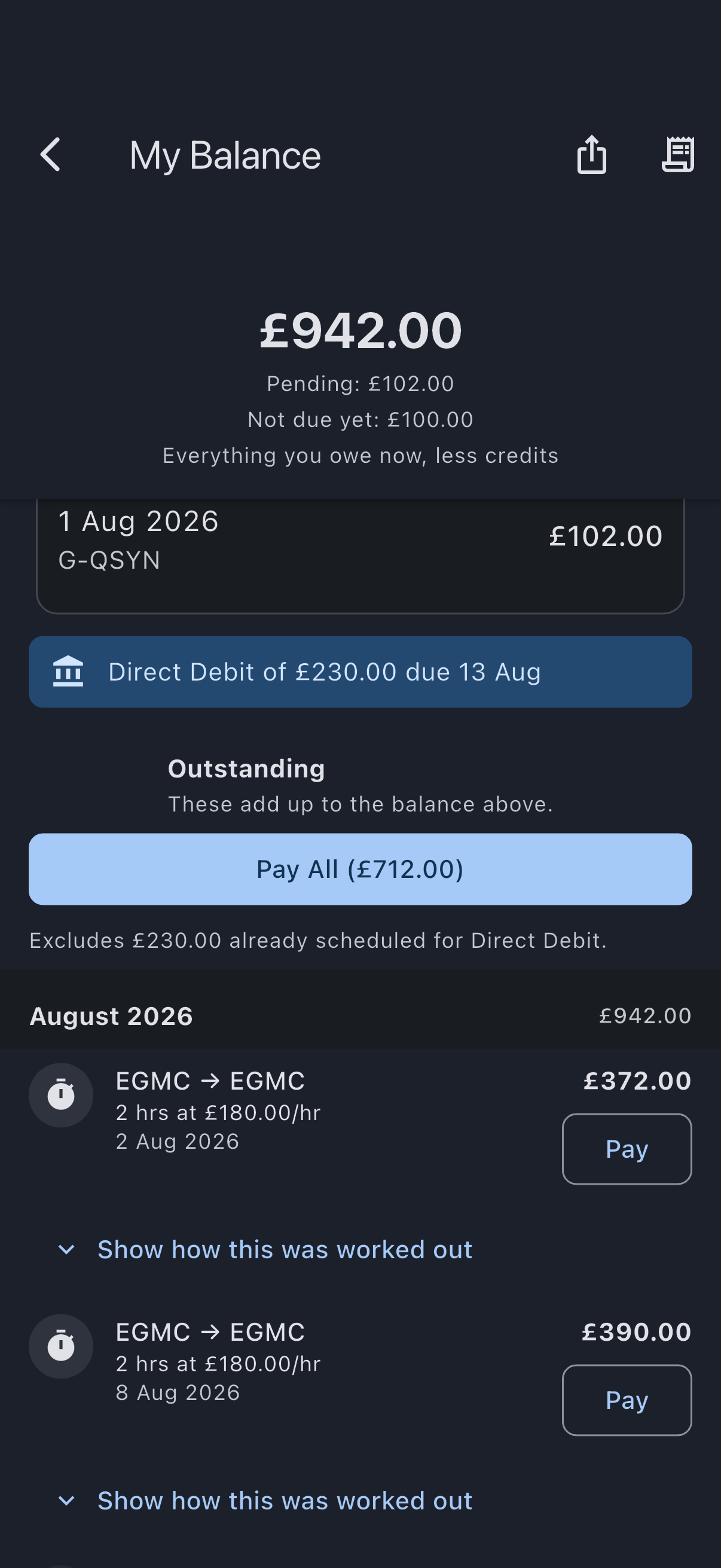
- Scroll the ledger. It is in two halves — Outstanding and Settled — and each half is grouped by month, with a heading showing the month on the left (for example, March 2026) and that month’s net subtotal on the right. The subtotal carries no label of its own, and it is signed: a month you ended in credit shows a negative figure, picked out in the credit colour, while a month that was a net charge is shown in plain text.
- Within a month, rows are shown newest first. Each row has an icon for the kind of charge, a title (the route for a logged flight, otherwise the kind of charge), a one-line description, the date, and the amount on the right. Debits are positive; credits are negative and shown in the credit colour.
- Rows that stand for something with a screen of their own can be tapped to open it — a cash-call charge opens the cash call.
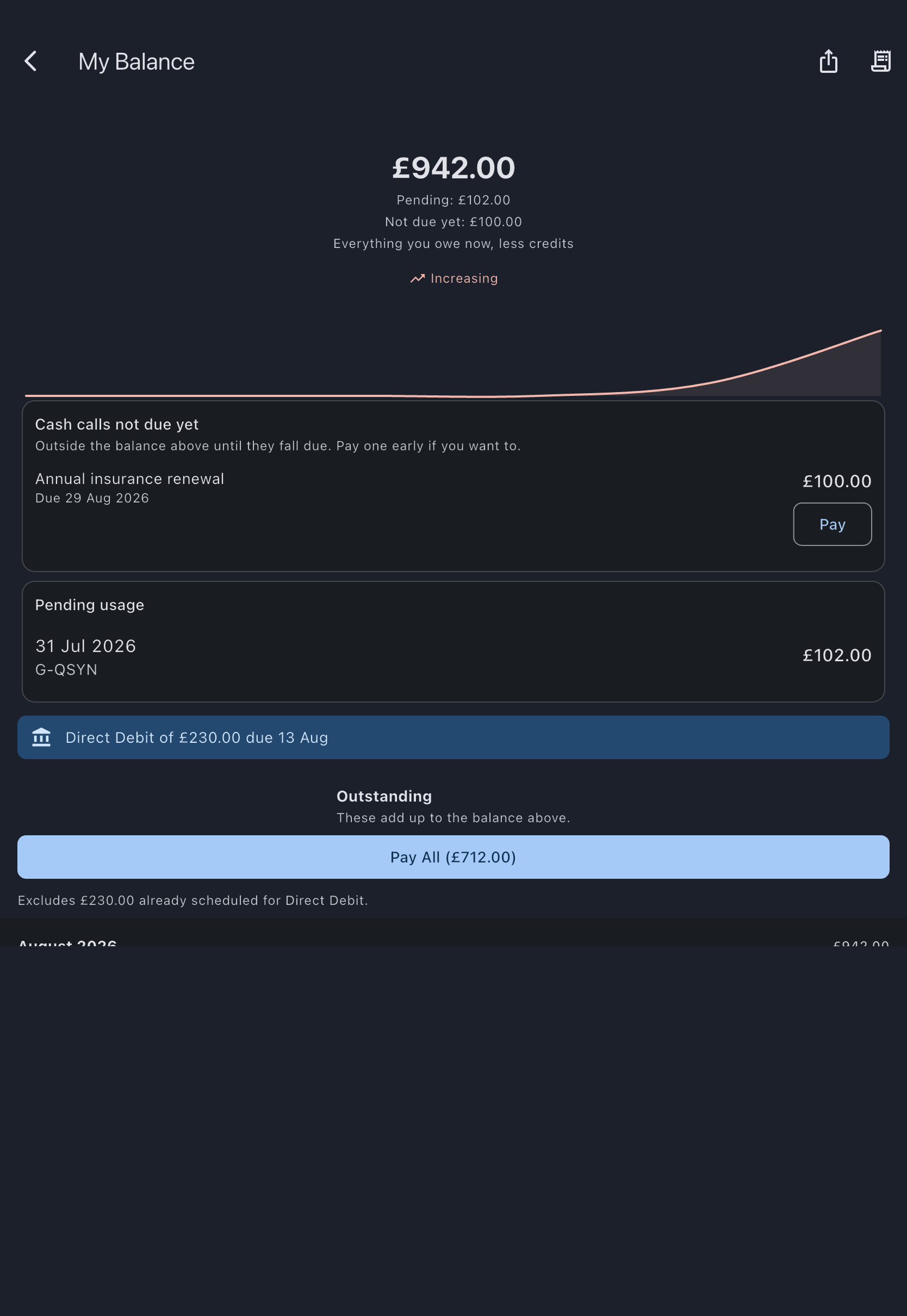
A cash call whose due date has not arrived is not in either half. It sits above the ledger in a Cash calls not due yet card, ungrouped and with no month heading, and it counts towards no monthly subtotal. It joins the Outstanding half on its due date. See Cash calls.
Export your statement
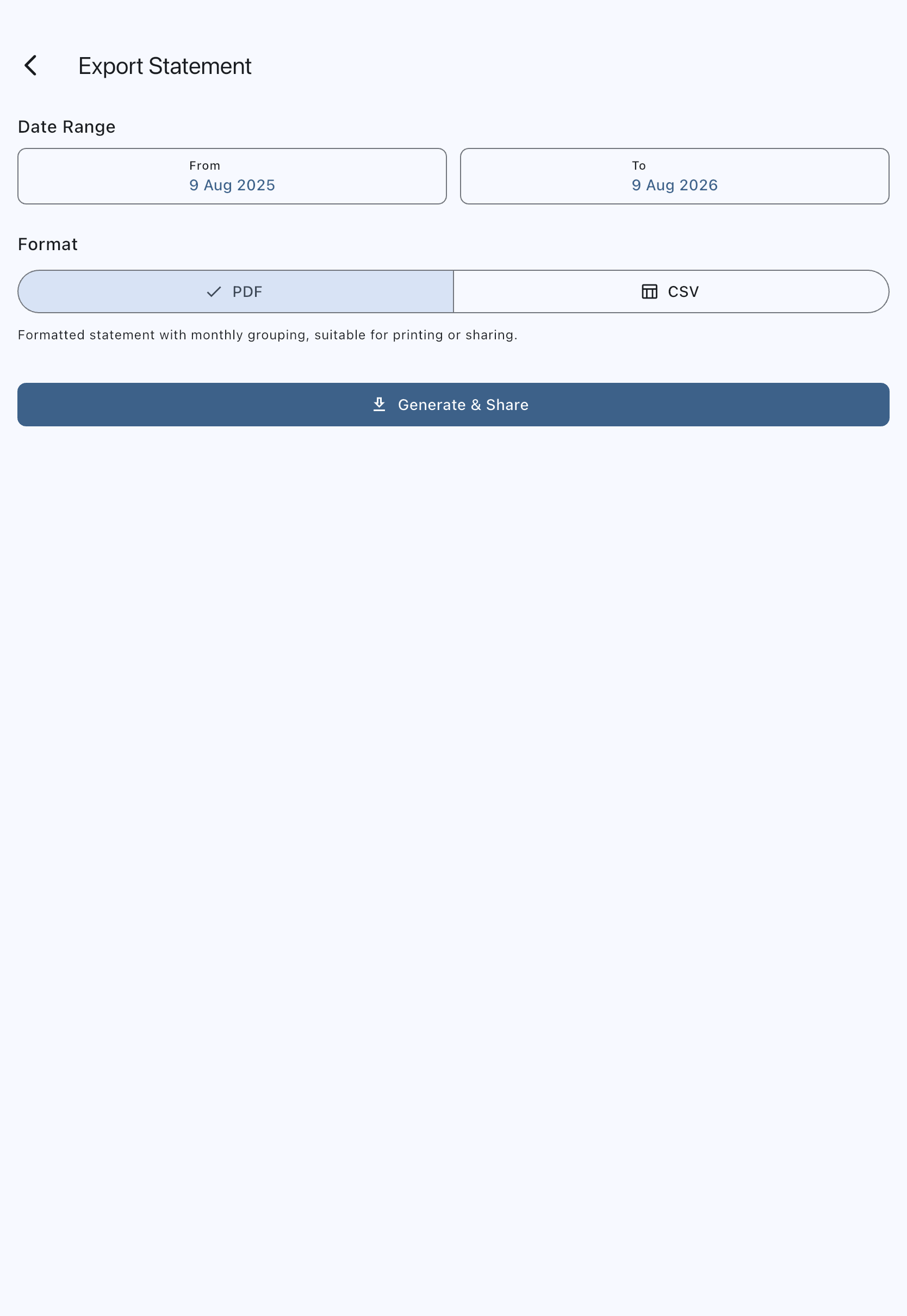
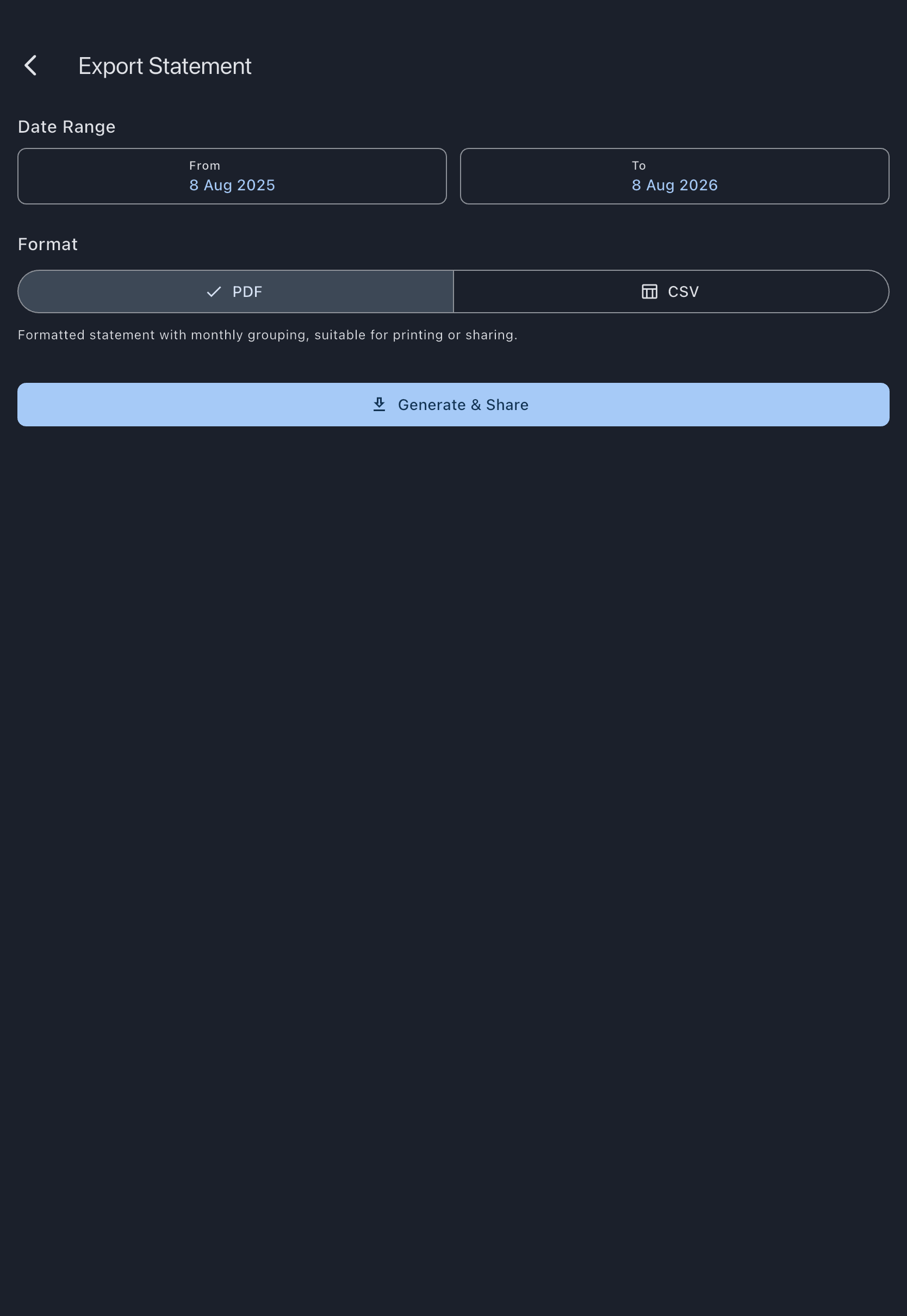
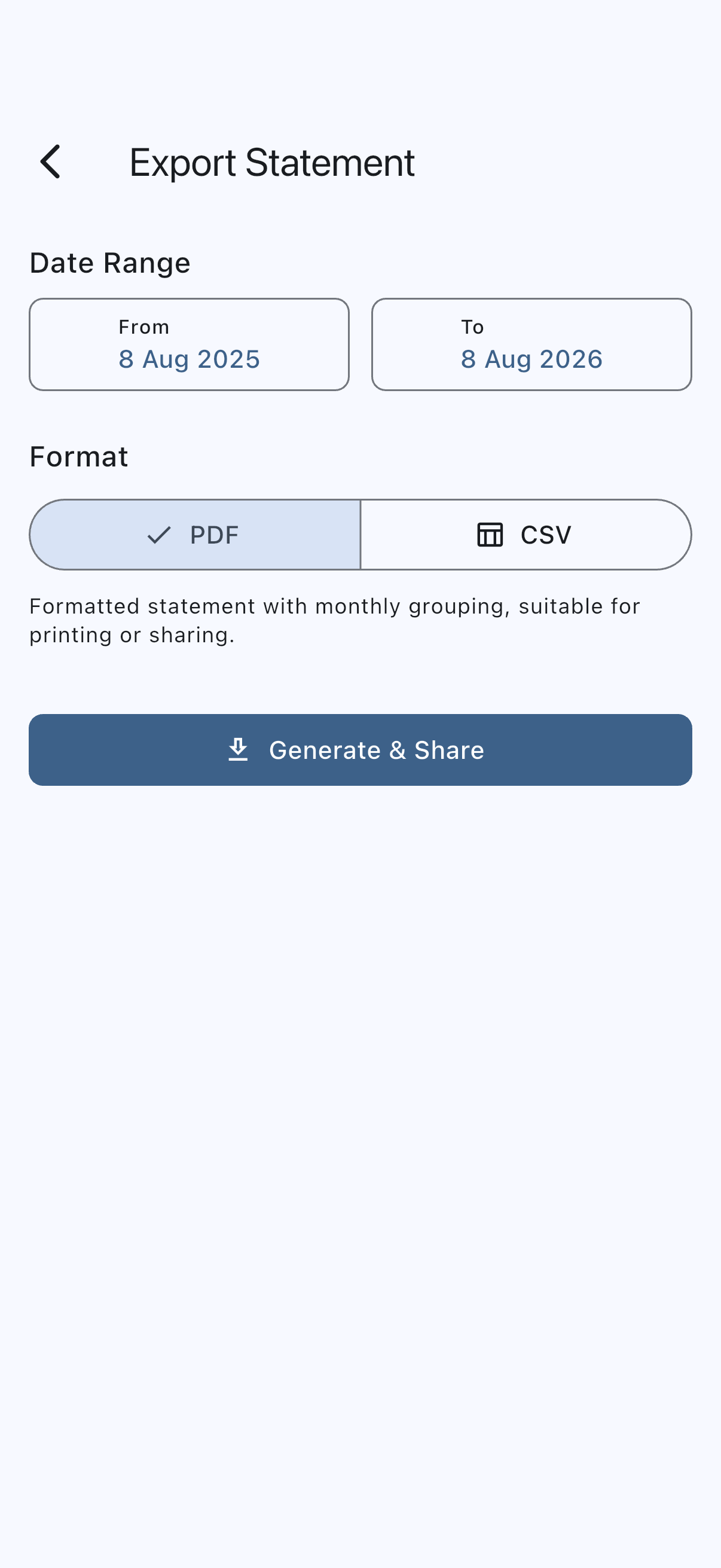
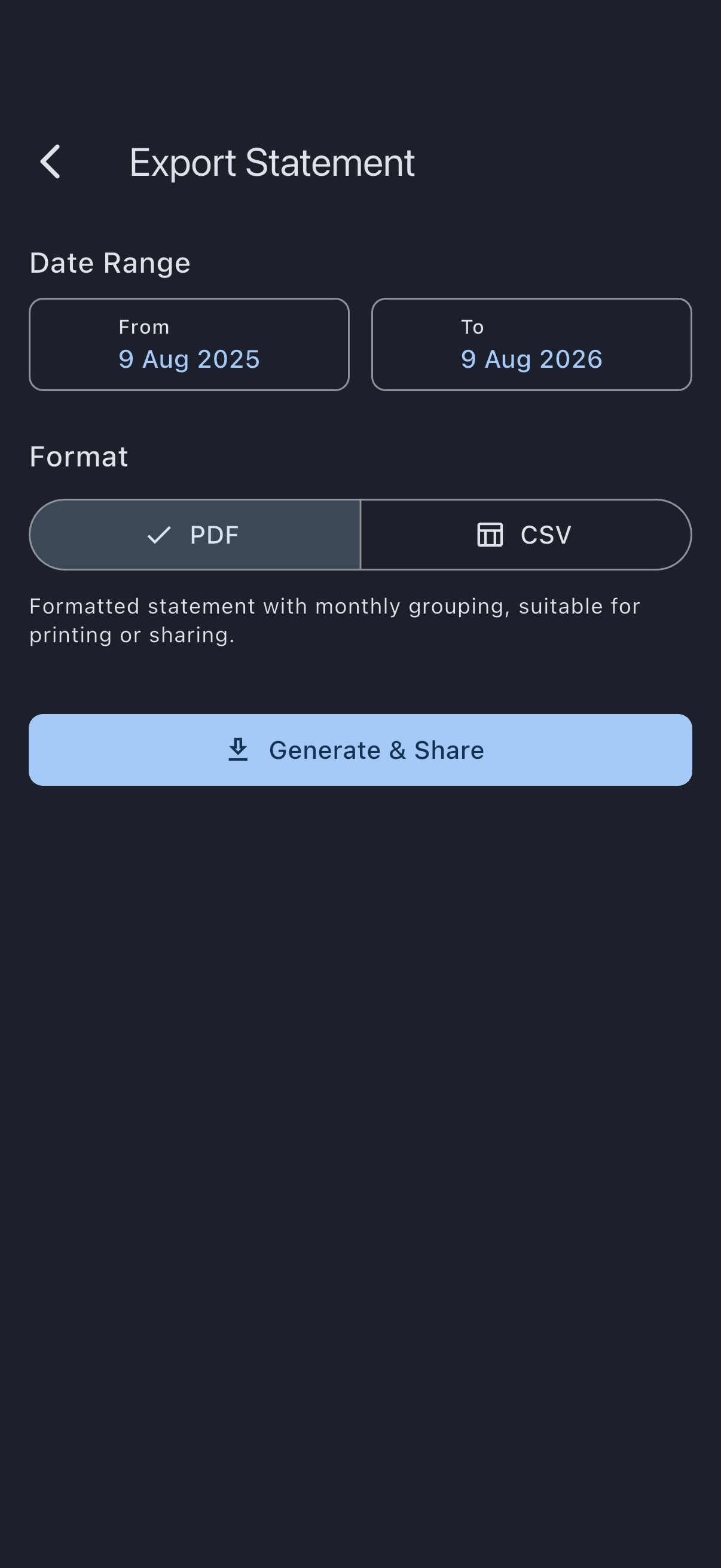
Section titled “Export your statement”- On the member-balance screen, tap the share icon in the top bar (its tooltip reads Export Statement). This opens the Export Statement screen, a full screen you navigate to and come back from, not a pop-up over the balance list.
- Under Date Range, tap the From and To tiles to pick your dates. The exported statement covers your ledger between those two dates, from the first moment of the first day to the last moment of the last, in your own timezone. The range starts out set to the last twelve months up to today — today where you are, which is the timezone on your profile rather than the one your phone or laptop happens to be set to.
- Under Format, choose PDF for a formatted, printable statement, or CSV for a spreadsheet-friendly file. A line under the choice describes what you will get.
- Tap Generate & Download on web, or Generate & Share on iOS/Android.
- On web, the file downloads straight to your browser’s downloads folder.
- On mobile, your device’s share sheet opens so you can save the file or send it on — to your email, a messaging app, or anywhere else your device can share to.
The exported statement shows an opening balance (what you owed as at the day before your chosen start date), your charges and payments for the period grouped by month with subtotals, the net movement for the period, and a closing balance. The opening balance plus the movement always equals the closing balance.
A charge that came from a logged flight also carries the date of the flight itself, alongside the date it was billed. In a PDF it is a small second line under the description; in a CSV it is a Flight date column after Amount, which a spreadsheet can sort and filter on. It is blank on every other row — payments, cash calls, expense credits, dues, minimum shortfalls and adjustments an admin has made all describe no particular flight, so there is no day to print. For nearly every flight the two dates are the same; where they are not, the flight was logged some time after it happened, and it is still billed in the month it was billed.
The export is a record of every transaction in the range, so a cash-call charge that has not yet fallen due appears in it as an ordinary row in the month it was raised, with nothing to mark it out. The not-yet-due card is a feature of the balance screen only.
Your payments appear as their own rows
Section titled “Your payments appear as their own rows”An export shows what cleared your charges as well as the charges themselves. My Balance does not: it shows what clearing a charge leaves behind, the charge moving from Outstanding to Settled, rather than the line that cleared it.
- Each one is a single row, negative, in the four ordinary columns. Description says how it was made — Card, Direct Debit, Bank transfer, and so on.
- Not all of them are payments, and Type says which. Payment means you paid, whether through the app or in cash or by your own bank transfer that an admin recorded. Waived means an admin wrote the charge off. Offset means it was cancelled against a credit you were already owed. Your balance comes down the same way in every case; only Payment means money left you. Reversed is the one that goes the other way — see below. See Statement format.
- One row per payment, not per charge. A card payment or Direct Debit usually clears several charges at once and leaves your bank as a single debit, so the statement shows one row matching that debit.
- A payment is dated by when the money left you. For a Direct Debit that is the day your bank was debited, not the earlier day the collection was raised. A row that moved no money is dated the day it was applied.
- It sits in the month it took effect. A payment in March that cleared January and February charges appears in March. So a month’s subtotal is the movement in that month rather than the cost of it, and the subtotals still add up to the period movement.
- A collection still in flight, and one that failed, are left out — nothing has left your account.
- A payment taken back later still shows, whole, on the day it was taken. The row is the debit your bank shows, so it stays that amount whatever happens afterwards. Money coming back gets its own row, dated the day it came back, typed Reversed and positive, because those charges are owed again. A £100 payment of which £60 was later put back reads as £100 paid in February and £60 reversed in May, not as a £40 payment.
- A refund that leaves your charges settled produces no Reversed row. If the syndicate absorbed the cost, or a charge was corrected downwards and the difference went back to your bank, you owe nothing further and nothing appears. The exception is a correction credited to your account instead of refunded to your bank: that shows as an ordinary credit line on the day it was credited.
The closing balance is therefore what you still owe at the end of the range, and it should match the balance on My Balance when your range ends today. One thing can still separate them: a cash call whose due date has not arrived is counted in the closing balance from the day it was raised, while the screen holds it back until its due date.
This exports your own ledger only. There is currently no way to export another member’s statement, or a syndicate-wide statement covering every member — ask an admin if you need that.
If it goes wrong
Section titled “If it goes wrong”- A transaction is missing: the statement view (and the export) shows all transactions on your ledger. If a charge you expected is absent, the booking may not yet be finalised; check with an admin.
- A month group boundary looks off: everything on an export — the period it covers, the date on each line, and the month each line is grouped under — is worked out in the timezone on your profile, and the My Balance screen uses that same timezone for its row dates and month headings. So the two always agree; if a boundary is not where you expect, the profile timezone is likely not where you actually are. Change it in Settings and export again. See Statement format.
- A flight is dated differently on screen and in the export: the balance screen dates a row by the day you flew, because that is what you check a charge against; an export dates it by the day it was billed, so every line agrees with the month heading above it. The export carries both — look for the Flight date under the description in a PDF, or in the last column of a CSV — so you can match the two up. They differ only for a flight logged well after it happened, and both are filed under the month it was billed.
- The export shows no transactions for the period: your chosen date range may genuinely have no activity. The opening and closing balances still show, carried over from before the range.
- A payment is missing: a collection that has not gone through yet is not on the statement. A Direct Debit appears once your bank has been debited, not when the collection is raised.
- The closing balance is a little higher than the balance on your screen: check for a cash call that has been raised but is not due yet. The statement counts it from the day it was raised; the screen holds it back until its due date.
- The generate button is greyed out: you are offline. An export needs a connection, because the rows that cleared your charges are read from the server rather than held on your device. Tapping the button explains this; try again once you are back online. See Offline capabilities.
- A row reads Waived or Offset rather than Payment: that is deliberate. The charge is settled, but no money left you; an admin wrote it off, or it was cancelled against a credit you were already owed.
See also
Section titled “See also”- Statement format: how the groups and totals are computed
- Member balance: the headline figure on this screen
- Transaction types: what each row can be